Microwave Oven Light Not Working – Quick Fix Guide [Checklist]
Microwave Light Not Working But Oven Runs? Learn Common Causes, Bulb Replacement Tips, Safety Warnings, And When To Call A Technician.
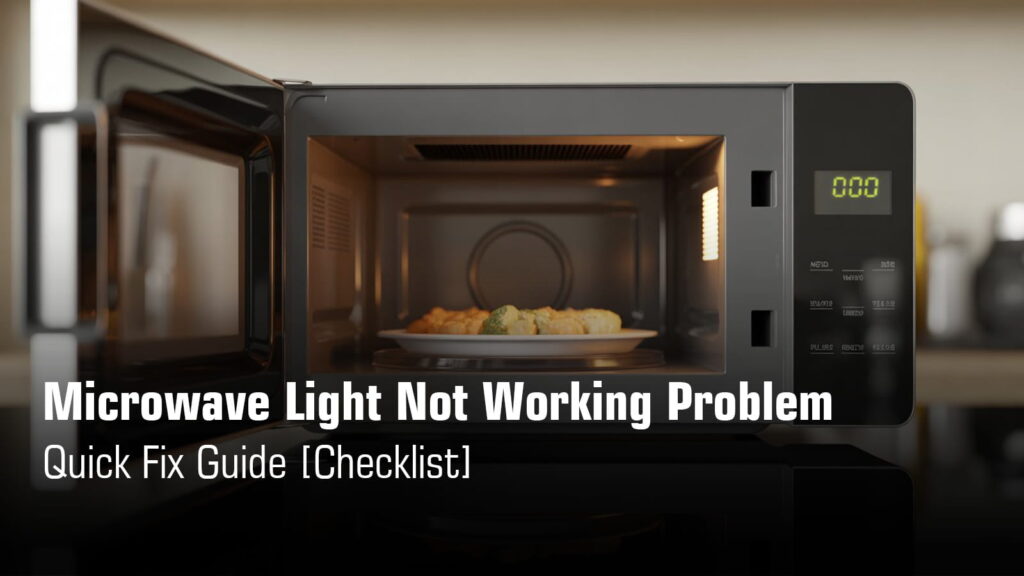
You open your microwave to heat last night’s leftovers, and something feels off. The light inside is completely dark. You can’t see if your food is heating properly, and honestly, it’s a bit unsettling trying to reheat something in pitch black.
Here’s the thing: that little bulb inside your microwave isn’t just for show. It helps you monitor your food, avoid spills or overheating, and honestly, it just makes using your microwave feel safer and more convenient. But before you panic and start searching for a new appliance, take a breath.
A dead microwave light doesn’t always mean your whole unit is broken. In most cases, your microwave will still heat food perfectly fine. Sometimes it’s a simple burned-out bulb you can replace yourself. Other times, it could be a door switch or electrical issue that needs a professional’s careful attention. We’ll walk you through what’s safe to try at home and when it’s time to call in an expert.
Quick Checklist to Fix Microwave Light Not Working Problem
| Symptom | Most Likely Cause | Action |
|---|---|---|
| Light is completely off, but your microwave heats food normally | Burned out or failed bulb (most common issue, typically lasting 1-2 years depending on usage) | Replace bulb with correct wattage per user manual |
| Light stays on continuously, even when the door is closed and microwave is off | Door switch is stuck in the “on” position or has failed internally | Call a professional technician |
| Light works intermittently or flickers on and off | Loose connection in the light socket or a failing door switch that makes inconsistent contact | Inspect connections and test door switches |
| No light and microwave won’t turn on at all | Power supply issue, blown thermal fuse, or faulty main control board (PCB) | Requires professional diagnosis and service |
1-line safety warning: Always unplug the microwave before checking anything. Even when unplugged, the internal capacitor can hold dangerous voltage for up to 60 seconds or longer.
Urgent Microwave Issue? Get Fast Doorstep Service Today
₹0 Advance Charges – Payment After Repair
How Microwave Oven Light Works?
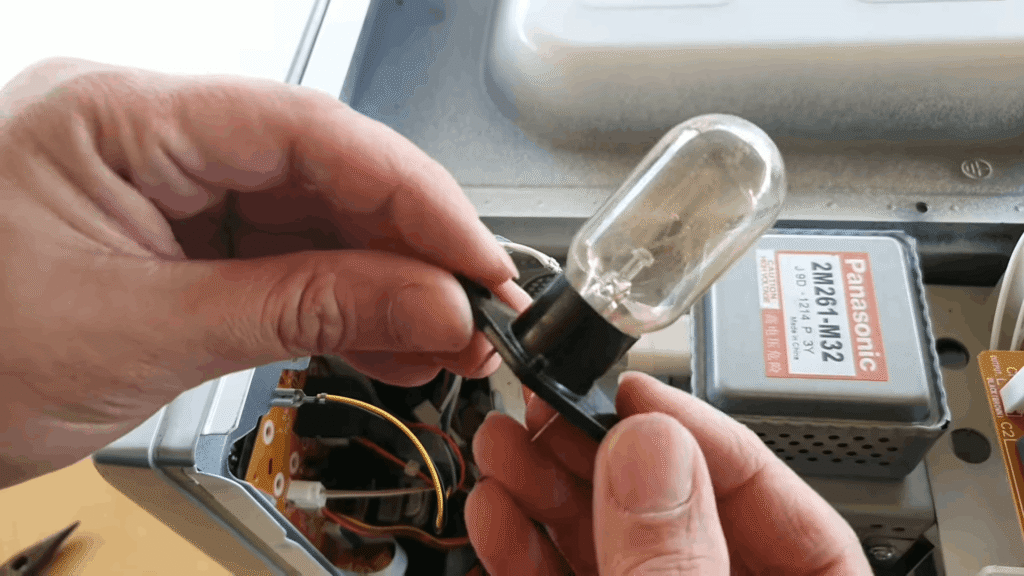
Your microwave light isn’t always on. It automatically turns on when you open the door or press start to cook. This happens through a simple but clever system.
The control system works like this:
The door interlock switches are the key players here. These small switches detect when your door opens or closes. When you pull the door open, they send a signal to power the light. The control board then manages this whole process, making sure the light comes on exactly when you need it.
Common bulb types you’ll find:
Note: Some manufacturers, like Whirlpool, specifically recommend against using LED bulbs in certain models to avoid potential damage. Always check your user manual for the correct bulb type.
Primary Causes of Microwave Light Not Working
Burnt or Blown Microwave Bulb (Most Common Cause)
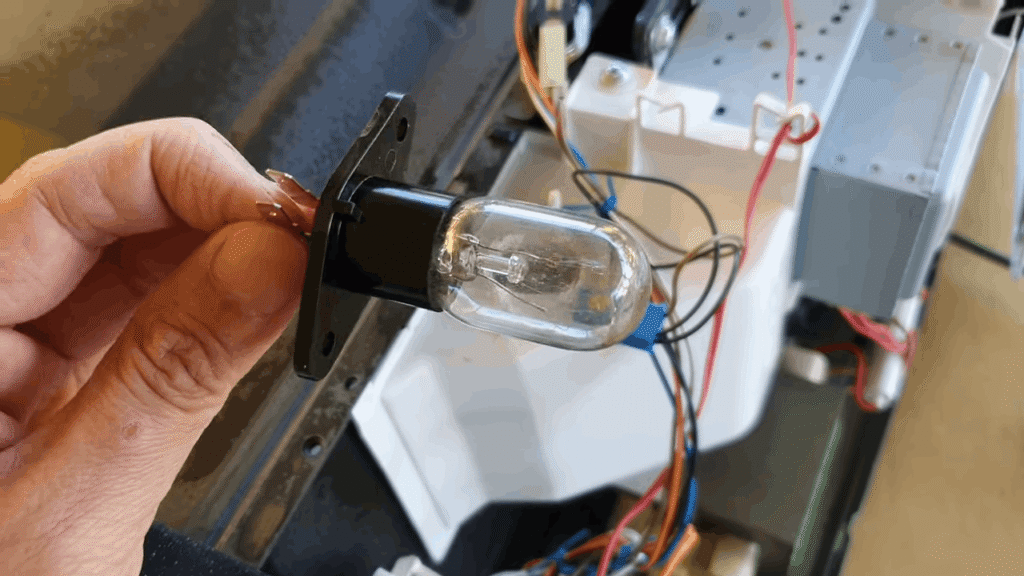
Signs to look for:
Why bulbs fail:
Microwave bulbs typically last 1 to 2 years depending on usage. They burn out from normal wear, just like any other bulb. Voltage fluctuations can speed this up. If your light is getting dimmer over time, that’s your bulb telling you it’s ready to retire. This is completely expected and not a sign of a bigger problem.
Faulty Door Switch (Interlock Switch Problem)
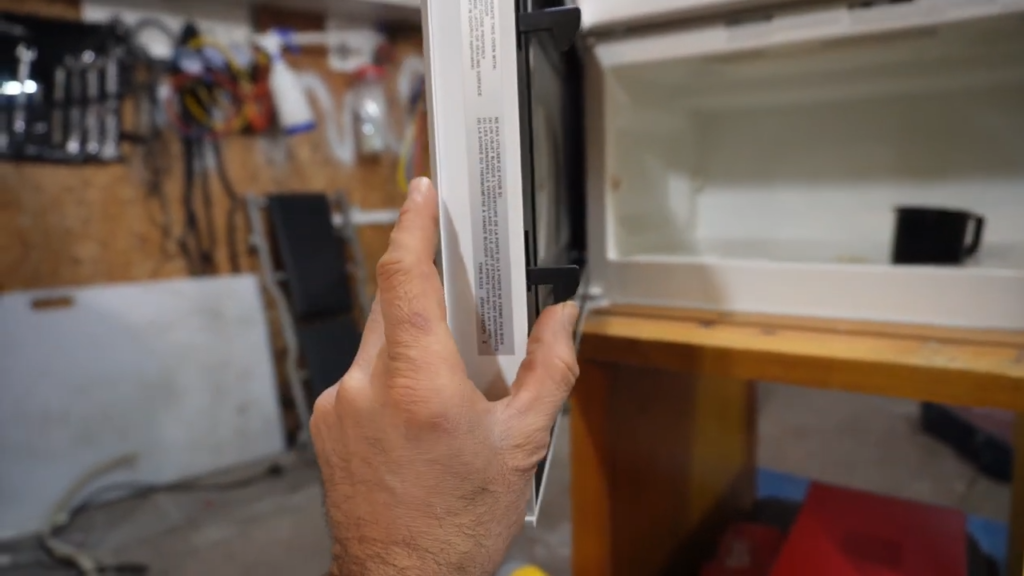
What door switches do:
Your microwave has 2 to 3 small interlock switches that detect when the door opens and closes. They control the light and prevent the microwave from running when the door is open.
Symptoms of a bad door switch:
Safety note:
Door switch issues aren’t just annoying, they can affect heating safety. If your microwave runs with the door open or won’t turn on properly, these switches need professional attention to avoid electrical hazards.
Loose or Damaged Light Socket
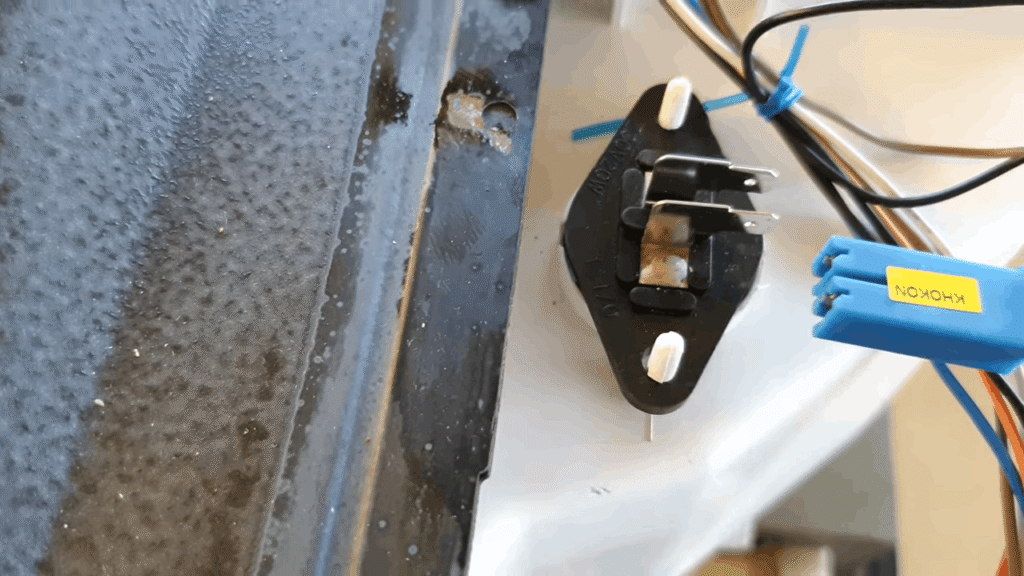
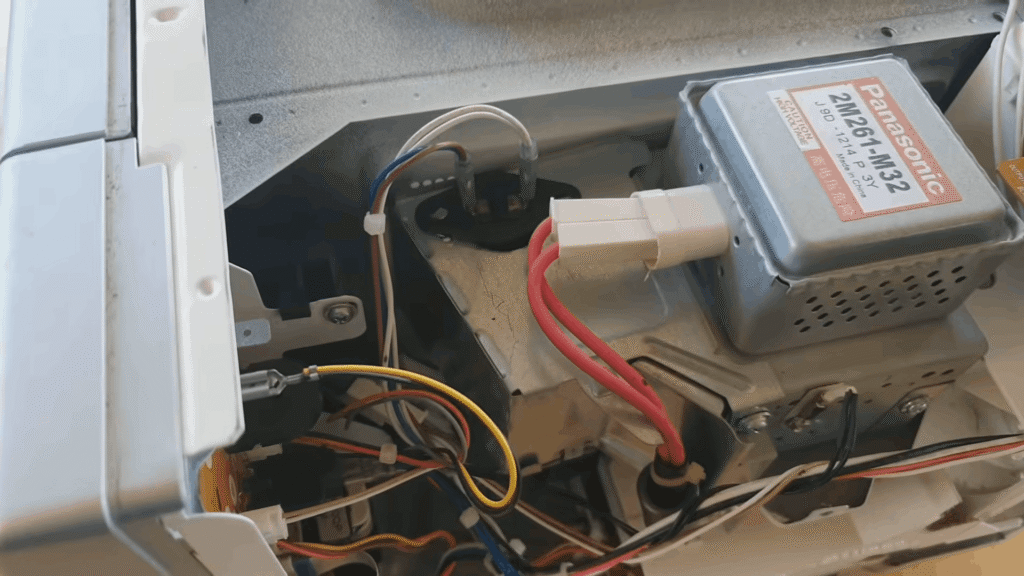
When this happens:
Light sockets can work loose after repeated bulb replacements or from long-term vibration during microwave operation.
Symptoms you’ll notice:
This usually means the connection between the bulb and socket isn’t solid. It’s an easy fix once you identify the loose connection or corrosion.
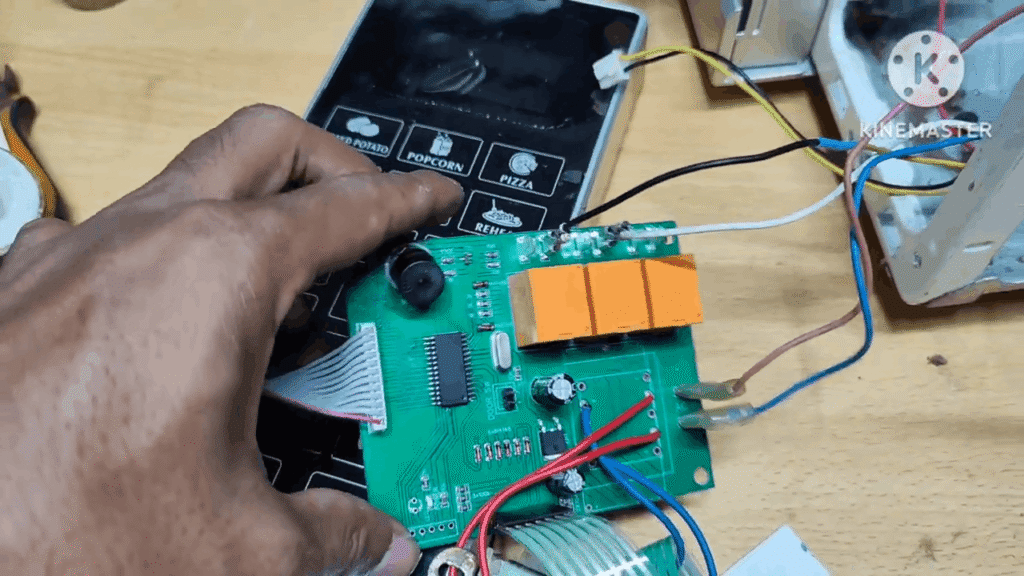
Control Board or Wiring Issue (Less Common)
When to suspect this:
If you’ve replaced the bulb, tested the door switches, and checked the socket, but the light still won’t work, the problem might be deeper. The control board manages all microwave functions, including the light. Damaged or corroded wiring between components can also cut power to the light.
Other signs:
You might notice other strange behavior like buttons not responding, the display acting weird, or the microwave cycling on and off. These point to a control board or wiring fault that needs professional diagnosis.
Facing microwave issues? Concord Services provides reliable doorstep micro oven repair in Kolkata to ensure safe and proper operation again.
How to Replace Microwave Oven Light Bulbs Safely?
Where to find the bulb:
The bulb location depends on your microwave model. Some bulbs are behind the rear panel, others are accessible from a side panel, and many newer models have the cavity light behind the vent grille at the top front of the unit.
Simple replacement steps:
- Unplug your microwave first. This is non-negotiable for your safety.
- Access the bulb cover by removing the appropriate panel or unscrewing the cover (check your user manual for your specific model).
- Replace with the manufacturer-recommended bulb only. Microwave bulbs are specific and must handle heat and vibration that regular bulbs can’t.
Critical warning:
Never use regular household bulbs unless your manual specifically allows it. Some manufacturers, like Whirlpool, explicitly warn against using LED bulbs in certain models to avoid potential damage, while others may require only incandescent types.
When is the Microwave Light Problem NOT a Bulb Issue?
If replacing the bulb doesn’t fix it:
You swapped in a brand new bulb, but the light still won’t turn on. This points to deeper electrical issues, most commonly a failed door switch or a control board fault.
Why these repairs are serious:
Microwaves contain high-voltage components like capacitors and transformers. Here’s the critical part: even after you unplug the microwave, the high-voltage capacitor can store a lethal electrical charge. Working inside without proper discharge procedures can result in severe electric shock or death.
The bottom line:
When bulb replacement fails, you’re dealing with electrical systems that require professional tools, training, and safety protocols. This is not the time for DIY troubleshooting.
Safety Warnings You Must Not Ignore
Never operate your microwave if:
These aren’t just annoyances. A light that won’t turn off signals a faulty door switch, which means your microwave’s safety interlock system isn’t working properly.
The high-voltage capacitor danger:
Even after you unplug your microwave, the high-voltage capacitor inside can store a lethal electrical charge for days, weeks, or even months. This isn’t an exaggeration. Touching internal components without proper discharge procedures can cause severe injury or death.
Why professionals matter:
Internal microwave repairs require specialized discharge kits, insulated tools, multimeters, and training on how to safely handle high-voltage components. One wrong move near the capacitor, transformer, or magnetron can be fatal. This is why professional service is strongly recommended for any internal issues beyond simple bulb replacement.
Preventive Tips to Avoid Microwave Light Failure
Handle the door gently:
Avoid slamming the microwave door shut. Repeated hard impacts can damage door switches over time, and these switches control both your light and the microwave’s safety systems.
Protect against voltage fluctuations:
If you live in an area with frequent power fluctuations, use a voltage stabilizer. Sudden voltage spikes can burn out bulbs prematurely and damage internal electrical components like the control board.
Keep vents clean and clear:
Clean your microwave vents regularly to reduce internal heat buildup. Excessive heat shortens bulb life and puts stress on electrical parts, leading to faster component failure.
Use only recommended bulbs:
Always replace bulbs with the exact specifications listed in your user manual. Using the wrong wattage or bulb type can damage the socket, overheat the fixture, or even harm the microwave’s electrical system.
To Sum Up
Most microwave light problems come down to a simple burned-out bulb, which you can replace yourself safely. But if switching bulbs doesn’t work, you’re likely dealing with faulty door switches, loose wiring, or control board issues that need professional attention.
Don’t put off the repair. What seems like a minor annoyance today can turn into a safety hazard or cause secondary electrical damage tomorrow. If you’re unsure about what’s wrong, a professional inspection is always safer than trial-and-error fixes. Your peace of mind is worth it.