Microwave Not Turning On – Causes, Checks & Solutions
Is your microwave completely dead or not starting? Find quick causes, simple checks, and clear signs when professional repair is needed.
When your microwave won’t turn on at all, it can feel like a major appliance failure. But here’s the thing: in most cases, the problem is actually simple and fixable.
This could mean a completely dead microwave with no display or lights, a display that lights up but won’t start when you press the button, or a microwave that powers on for a second and then shuts off. This guide will help you identify the exact cause in minutes with safe, basic checks you can do yourself.
We’ll also show you when it’s time to call in a professional. Just remember, microwave components carry high voltage, so we’ll only cover the checks that are safe to perform at home. Start with the quick checklist below to narrow down the issue instantly.
Quick Checklist to Fix Microwave Oven NOT Turning On Problem
Hire Concord Service’s Skilled Technician in Kolkata for
Doorstep Microwave Oven Repair
₹0 Advance Charges
Reasons Why the Microwave Not Turning On
| What You’re Seeing | What’s Usually Happening | Can You Fix It Yourself? | Should You Call a Pro? |
|---|---|---|---|
| Completely dead – no display, no lights, nothing | Loose power cord, tripped breaker, or blown internal fuse protecting the circuit | Yes – check outlet, breaker, and connections first | Only if basic checks don’t work and internal fuse needs testing |
| Display lights up but won’t start when you press buttons | Door switch thinks the door isn’t closed, or child lock is accidentally turned on | Yes – check door closure and try resetting child lock | If door switches are faulty internally |
| Starts for a second, then shuts off | Overheating protection kicked in, or cooling fan isn’t working properly | No – this involves thermal fuses and airflow issues | Yes – thermal components need professional testing |
| Goes completely dead after a power surge or storm | Internal ceramic fuse blew to protect expensive parts from damage | Not recommended – high voltage capacitor stays charged even when unplugged | Yes – safer to have a technician replace the fuse and check for other damage |
Important Safety Warning Before You Start
Microwaves store high voltage even when unplugged
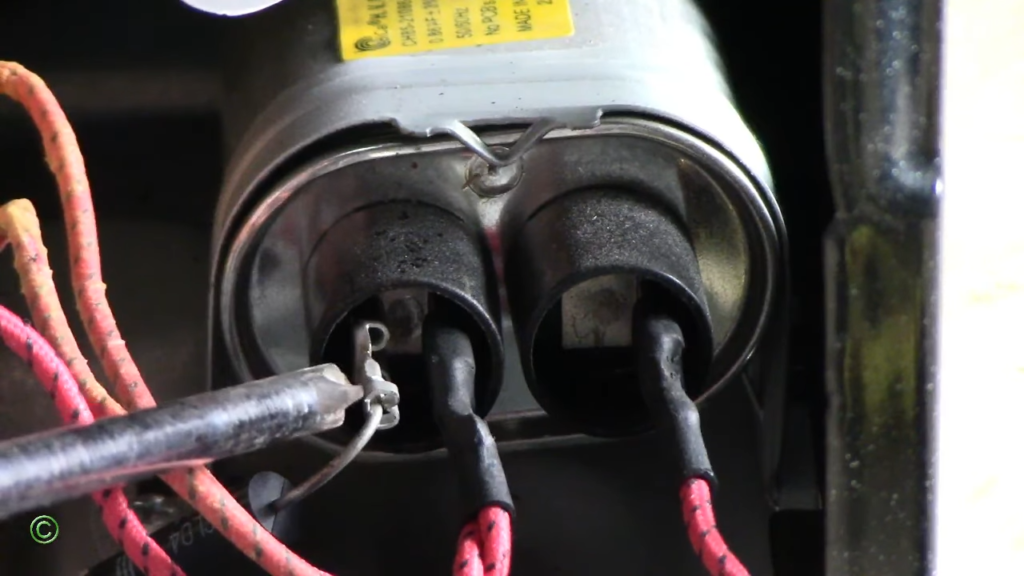
The high-voltage capacitor inside your microwave can hold a lethal electrical charge for weeks or even months after you unplug the unit. This isn’t something that fades away quickly.
Even if the microwave has been sitting unplugged in your garage for a month, that capacitor can still deliver a potentially fatal shock if touched without proper discharge procedures using insulated tools.
Never open cabinet covers
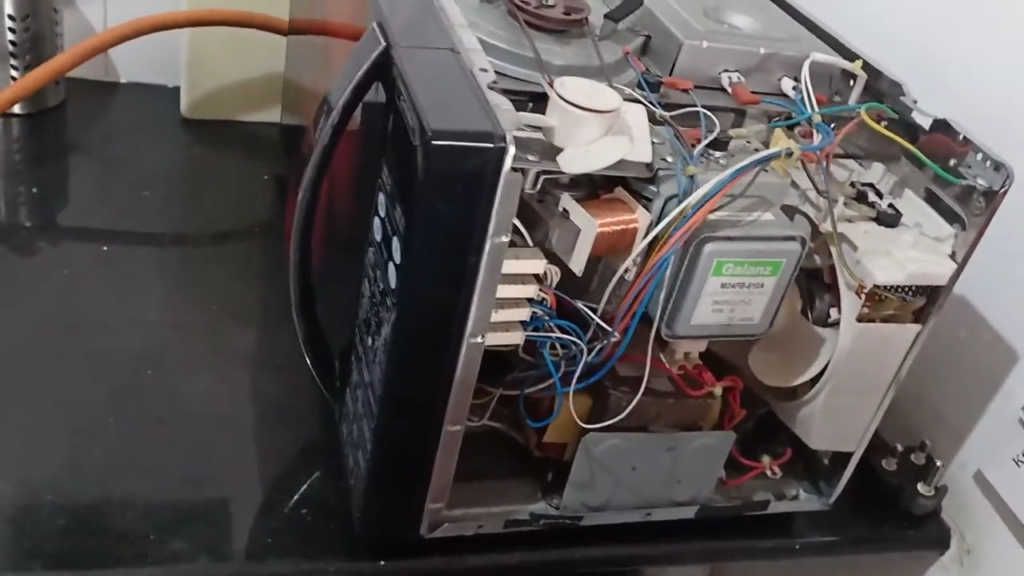
Opening the outer casing or side panels exposes you to internal components that operate at several thousand volts during normal use.
The appliance is designed as a high-voltage appliance, and even simple visual inspection of internal wiring can put you at serious risk.
Manufacturer manuals and repair technicians consistently warn that severe injury or death is possible if proper safety precautions are not followed.
Door safety interlocks must never be bypassed
Your microwave has multiple door interlock switches (usually three to four) that cut power when the door opens. These are critical safety mechanisms designed to protect you from microwave radiation exposure and electrical hazards.
Never attempt to bypass a door switch, remove a switch temporarily, or operate the microwave with the door partially open, even for testing purposes.
Some repair videos may show technicians removing a “monitor interlock switch” as a temporary fix, but this is a personal choice that comes with risks and should never be attempted by non-professionals.
Suggested Read: Microwave Oven Door Not Opening or Closing Problem
When NOT to test further and call service immediately
Stop all troubleshooting and contact a qualified technician if:
Not sure how to fix it? Concord Services provides quick, trusted microwave oven repair in Kolkata to restore safe, proper operation.
Main Reasons a Microwave Oven Will Not Turn On (With Fixes)
Power Supply Problems (Most Common)
What Happens
- Microwave appears completely dead
- No lights, no display, no response
Causes
- Loose plug
- Burnt socket
- Tripped MCB / blown fuse
- Extension cord usage (not allowed per manuals)
Quick Fix
Your microwave needs a dedicated power socket. Extension cords can’t handle the 15-20 amp draw safely. Plug directly into the wall outlet, test with another high-load appliance like a hairdryer, and check your home breaker panel. If the microwave breaker tripped, switch it fully off, wait two minutes, then turn it back on.
Door Not Closed / Door Switch Failure
What Happens
- Microwave looks normal but won’t start
- Start button pressed but nothing happens
Why
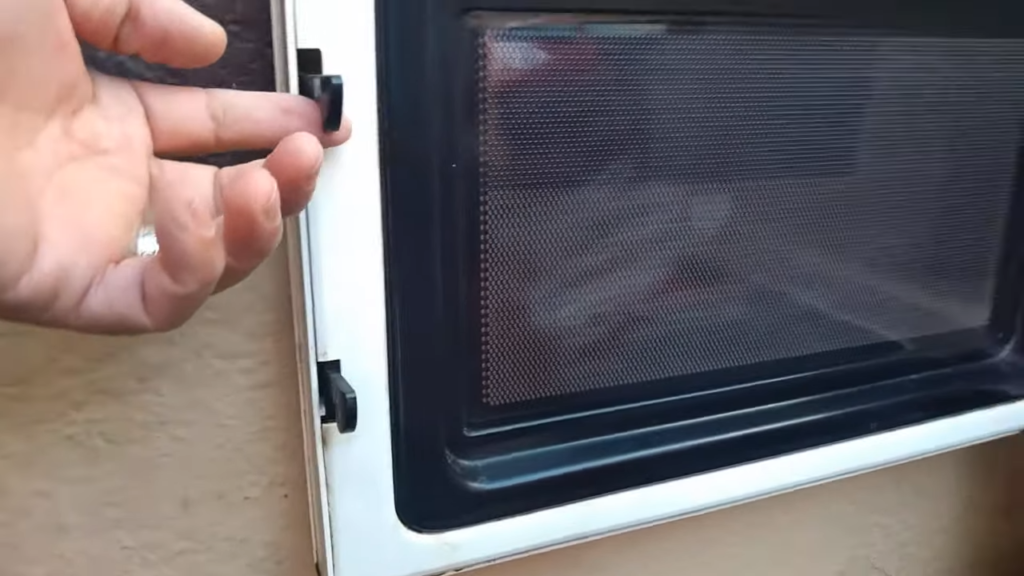
- Door safety interlock switches not engaged
- Bent latch, broken hook, misalignment
User Checks
Listen for a firm “click” when closing the door. Most microwaves have three to four door interlock switches that power internal components only when fully engaged. Visually inspect the door latch without disassembly. If the door feels loose, uneven, or the latch doesn’t spring back properly, the door switches likely failed and need professional testing with a multimeter.
Child Lock / Control Lock Enabled
What Happens
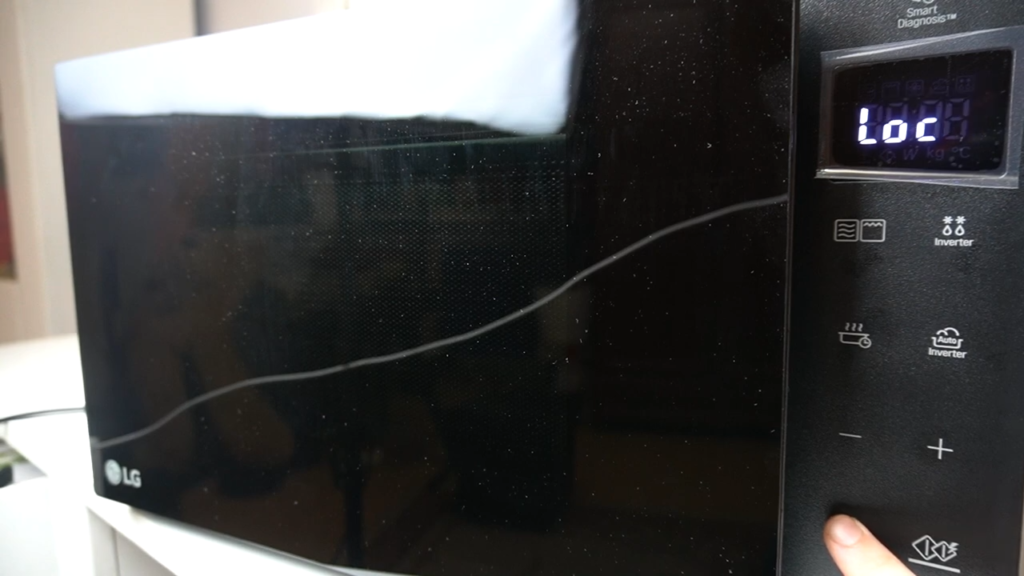
- Display ON
- Buttons unresponsive
- “LOC” / lock icon visible
Fix
This is the number one false-alarm cause. Child lock prevents accidental operation while allowing lights and display to function normally.
Press and hold STOP/CANCEL for 3 seconds (brand-dependent). If that doesn’t work, unplug the microwave for 2-10 minutes to perform a power reset.
Demo mode on some models causes similar symptoms, check your owner’s manual for the specific button sequence.
Suggested Read: Microwave Child Lock Not Turning Off
Blown Internal Fuse
What Happens
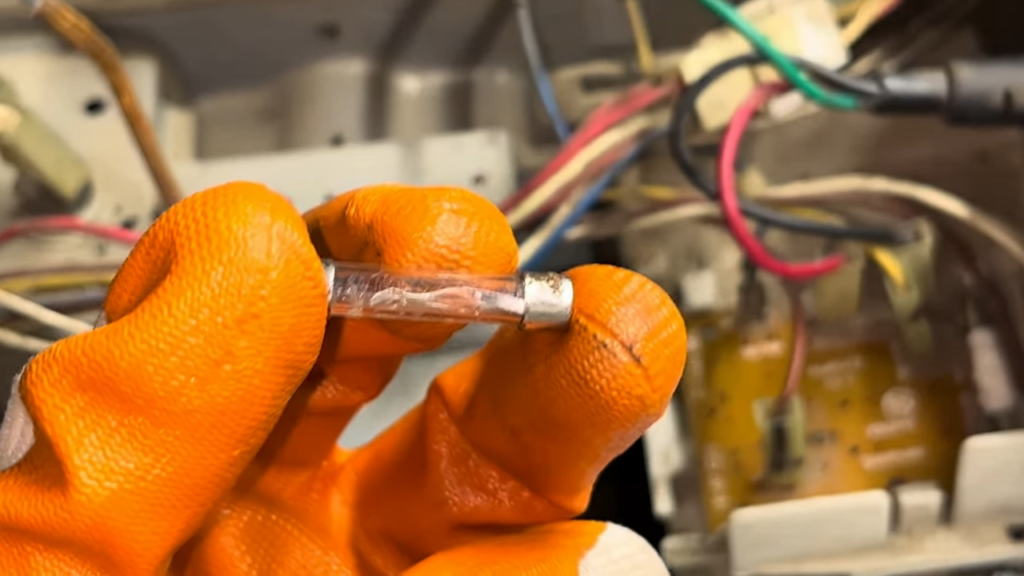
- Microwave suddenly dead
- Often after power surge or short outage
Why
- Fuse protects magnetron and board
- Once blown, microwave won’t turn on at all
Important
The internal ceramic fuse sits near where the power cord enters, typically rated 15-20 amps. It sacrifices itself to protect expensive components. Fuse replacement is not DIY work. The high-voltage capacitor can hold a lethal charge for weeks after unplugging, requiring proper discharge procedures with insulated tools. Always call a qualified technician for internal fuse work.
Control Panel / PCB Failure
Symptoms
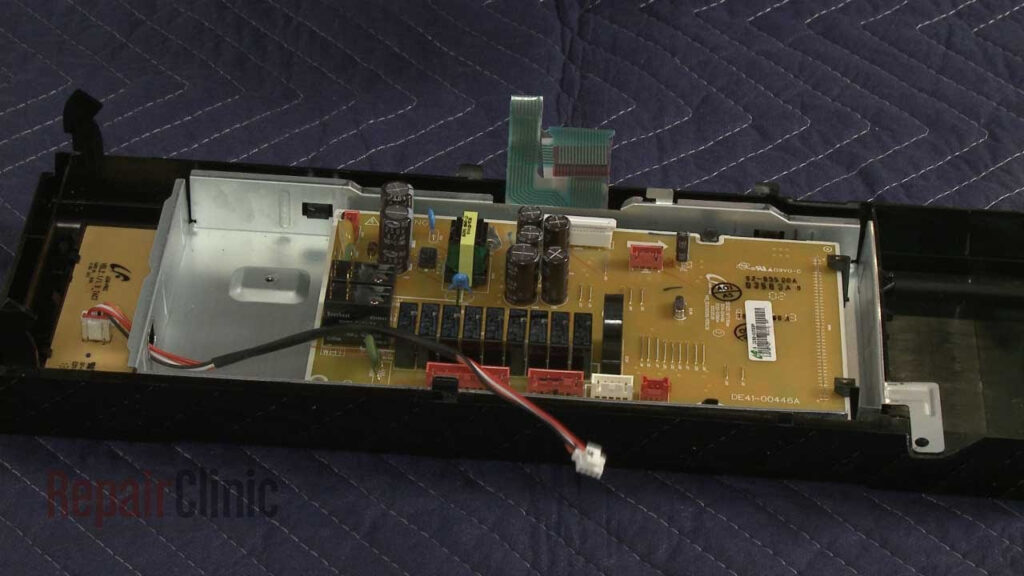
- Random response
- Buttons not registering
- Display flickers or freezes
Causes
- Moisture ingress
- Aging touch membrane
- Voltage fluctuation damage
Fix
Try a hard reset first: unplug for 10 minutes. If some buttons work but others don’t, the touchpad membrane has worn out and needs replacement.
When no buttons responded at all, the main control board likely failed. Control boards are often misdiagnosed, so verify door switches and other components first. Professional board repair or replacement typically costs $150-400.
Overheating & Safety Cut-Off
What Happens
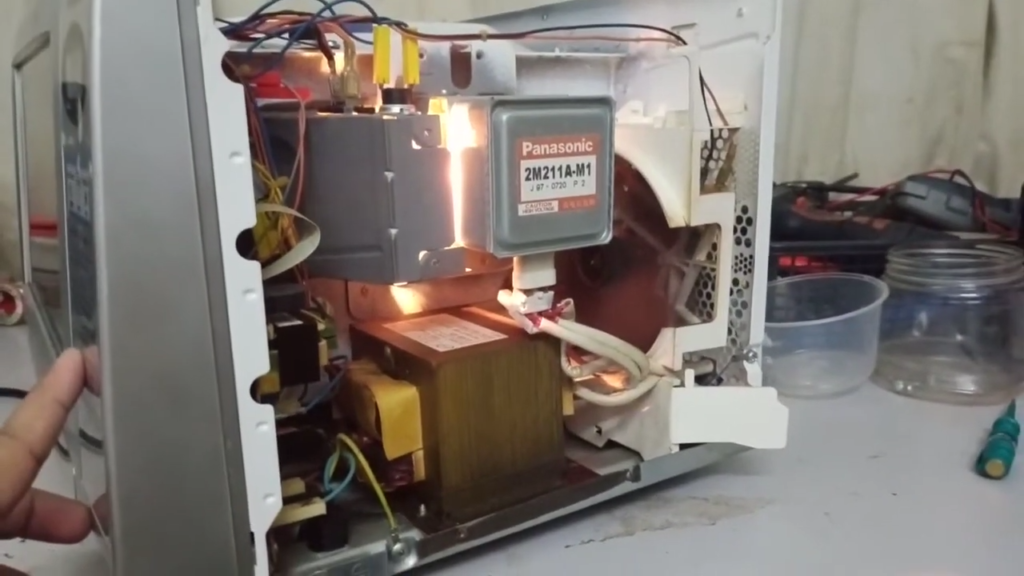
- Microwave starts then shuts off
- Won’t restart immediately
Reasons
- Cooling fan failure
- Blocked vents
- Running empty
Fix
Thermal fuses and thermoprotectors near the cavity or magnetron cut power when temperatures spike. Let the unit cool for 20-30 minutes before attempting to restart.
Check that ventilation openings aren’t blocked.
Never run your microwave empty, this is explicitly forbidden in manufacturer manuals and causes magnetron overheating. If the cooling fan motor is jammed or seized, professional replacement is required.
Suggested Read: Microwave Oven Cooling Fan Not Working – Solutions & Checklist to Fix
Mandatory Checks Before Calling a Technician
Power plug seated correctly
The plug can get nudged loose during cleaning or when moving items around your counter. Remove the plug from the outlet, wait 10 seconds, then plug it back in securely to ensure proper electrical connection.
Door fully closed
Internal sensors require the door to engage the lock system completely, or microwave energy won’t flow inside. Listen for a firm “click” when closing the door to confirm the safety interlock switches are properly activated.
Child lock OFF
Press and hold the STOP/CANCEL button for 3 seconds to disable child lock, which prevents accidental operation and makes buttons unresponsive. Look for “LOC” or a lock icon on the display that indicates this feature is active.
Timer not set
Ensure the control panel is programmed correctly and no Delay Start timer is active, as the microwave will appear ready but won’t begin heating until the preset time arrives. Cancel all timers and start a fresh cooking cycle.
Proper cookware used
Metal utensils, dishes with metallic trim, or containers made of non-microwave-safe materials can prevent heating and cause sparking. Use only microwave-safe glass, ceramic, or heat-resistant plastic cookware designed for microwave use.
Not operating empty
Running the microwave without food inside is explicitly forbidden in all manufacturer manuals and can cause serious damage to the magnetron and other internal components. Always place at least a cup of water inside when testing the unit.
Stop Using the Microwave Immediately If You Notice These Signs
Burning smell
A persistent burning odor isn’t just unpleasant. It signals overheating components like the waveguide cover, high-voltage capacitor, or failing magnetron.
Food residue can burn repeatedly, sure. But if the smell continues after thorough cleaning, internal electrical parts are likely damaged. This could pose a fire risk requiring immediate professional inspection.
If you’re dealing with a burning smell that won’t go away, don’t ignore it.
Sparking
Visible sparks or flashes inside the cavity mean microwave energy is concentrating at a conductive point instead of heating your food.
This typically indicates metal objects, carbonized grease buildup, damaged waveguide cover, or exposed bare metal from chipped paint. Stop immediately, unplug the unit, and don’t restart until the cause is identified and fixed.
Sparking is serious. Check our guide on microwave sparking problems for what to do next.
Suggested Read: Microwave Sparking Problem – Fix Today [FREE Checklist]
Loud humming before shutdown
A magnetron making louder-than-normal buzzing or humming, especially followed by sudden shutdown, indicates it’s failing or overheating.
This component generates the actual microwave energy. When it struggles, you’ll hear screaming, screeching, or intense humming sounds. Continued operation can damage other high-voltage parts and create dangerous electrical conditions.
Suggested Read: Microwave Making Loud Noise – Causes and Fixes
Tripping circuit breaker repeatedly
When your microwave trips the house circuit breaker every time you use it, there’s a serious electrical fault.
This could be a shorted magnetron, defective door switch creating a dead short, or failed high-voltage components. This isn’t a nuisance. It’s your home’s electrical system protecting you from potential shock or fire hazards that need immediate professional diagnosis.
Repair or Replace? Simple Guidance
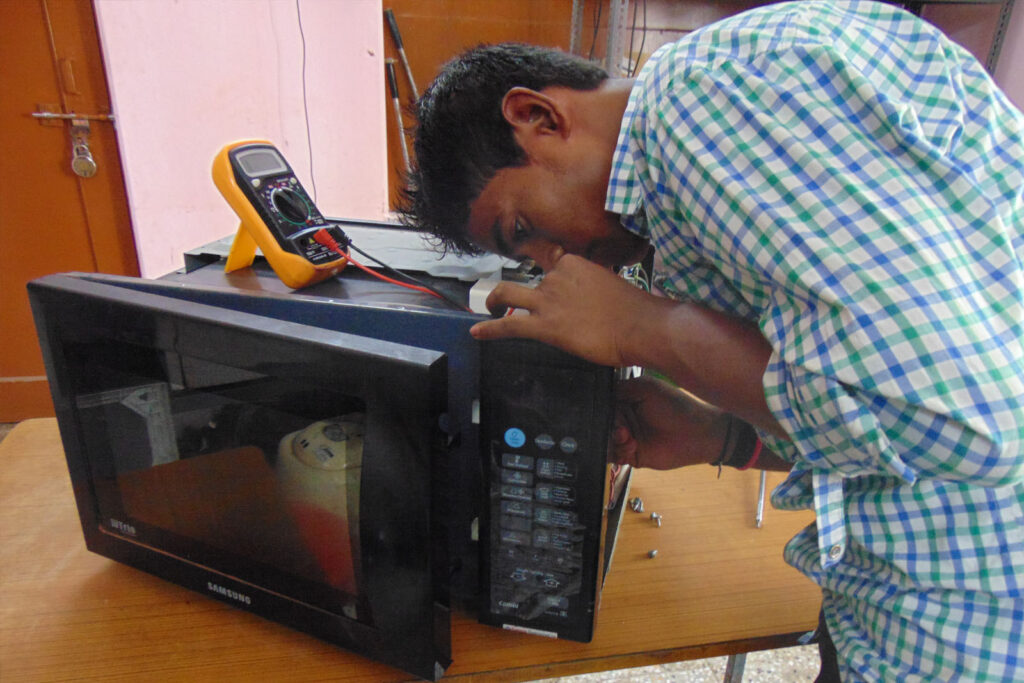
Fuse / switch replacement
Blown fuses and faulty door switches are among the most economical repairs, as these are relatively straightforward fixes when the expensive parts like the magnetron are still fine.
Basic repairs like replacing fuses or door switches are inexpensive and can restore your microwave to working condition quickly.
Suggested Read: Microwave Oven Fuse Problem
PCB + magnetron issues
Control board failure is considered a less common cause and should only be suspected after testing other components, but replacement is often expensive and may not be economical.
When both the PCB and magnetron need replacement, purchasing a new microwave with a warranty may be more sensible than investing in costly repairs for an aging unit.
Suggested Read: Microwave Oven Touch Panel Not Working – Fix Now
Older units
For microwaves that are 7-10 years old showing scorch marks, burnt smells, or requiring major component replacement like the magnetron, replacement might be preferable to repair.
The decision to repair versus replace makes sense when minor issues affect newer units, but failing magnetrons or control boards in very old microwaves are often uneconomical to fix.
When Professional Service Is the Safest Option?
Microwaves store lethal voltage in capacitors for weeks, even unplugged. The high-voltage components inside can cause serious injury or death if mishandled.
When you notice sparking, burning smells, or unusual sounds, these signal dangerous electrical faults.
Professional technicians diagnose issues safely in minutes, protecting you from shock risks and preventing further damage to expensive parts.
Wrapping It Up
Most microwave power issues trace back to simple fixes: loose plugs, door switches, child lock, or blown fuses. Handle the basic external checks yourself, but leave internal repairs to professionals. High-voltage components make DIY dangerous. If your microwave stays dead after following our checklist, call a technician. Early diagnosis prevents expensive damage to the control board or magnetron, saving you money long-term.