Microwave Child Lock Not Turning Off – Quick Fix Guide
Child Lock Won’t Turn Off On Your Microwave? Follow Simple Steps, Brand-Specific Methods, And Reset Solutions To Unlock It Fast.
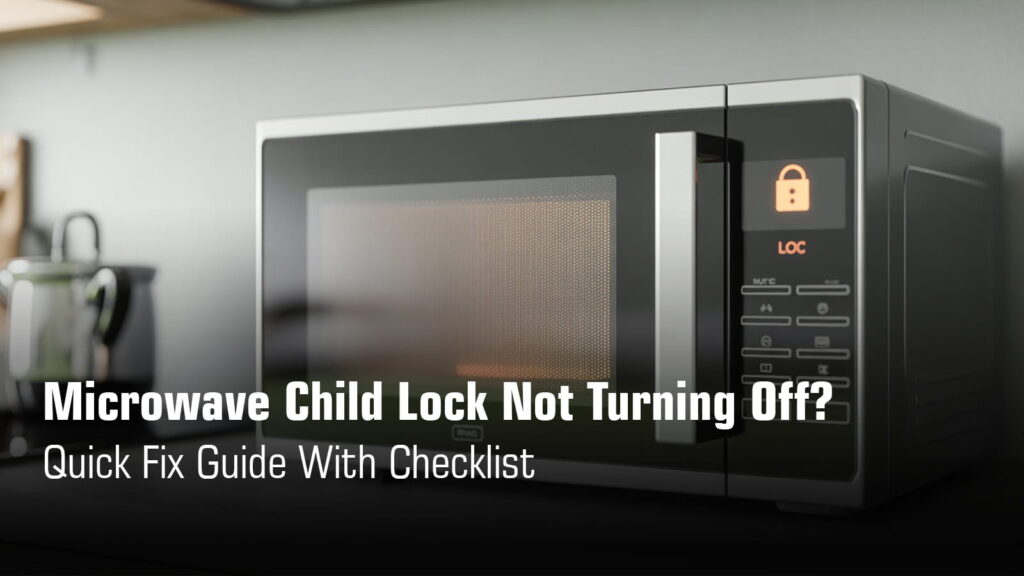
You’re standing in front of your microwave, trying to heat up your morning coffee, but nothing happens. The buttons won’t respond. You see that little “L” or lock icon staring back at you. The child lock is on, and you can’t figure out how to turn it off.
Here’s the thing: this isn’t a malfunction. The child lock is a safety feature designed to prevent kids from accidentally starting the microwave. But when it gets stuck or you can’t remember how to deactivate it, it’s incredibly frustrating.
Good news? Most cases can be fixed in under 2 minutes.
Quick Checklist to Fix Microwave Child Lock Not Turning Off Pro
Brand-Wise Child Lock Unlock Guide
| Brand | How to Turn Off Child Lock | Confirmation |
|---|---|---|
| Samsung | Press Clock + More/Less buttons together for 3 seconds | Lock icon disappears |
| LG | Press & hold Start/Enter for 4 seconds | “L” disappears, beep sounds |
| Whirlpool | Press & hold Cancel for 2 seconds | Two beeps, LOC icon clears |
| Panasonic | Press Stop/Reset 3 times quickly | Lock indicator disappears, time shows |
| IFB | Press & hold Pause/Cancel for 3+ seconds | Beep sounds, indicator light turns off |
| Bosch | Press & hold Key symbol for 5 seconds | Beep sounds, key symbol disappears |
| Electrolux | Press & hold Stop/Clear for 3 seconds | Indicator light disappears |
| GE | Press & hold Clear/Off for 3 seconds OR press 5 + 7 keys together for 3-5 seconds | “L” indicator clears |
| KitchenAid | Press & hold Cancel for 3 seconds OR Start for 5 seconds | Two beeps, unlocks |
| Frigidaire | Press & hold Lock icon for 5 seconds | Display unlocks |
| Sharp | Press 7, 9, 0 in sequence, hold 0 for 3 seconds | Audible chime, “Off” appears |
| Haier | Press & hold Stop/Reset for 3 seconds | Beep sounds, indicator light turns off |
| Onida | Press & hold Stop/Reset for 3 seconds | Beep sounds, indicator light turns off |
| Morphy Richards | Press & hold Stop/Eco or Stop/Cancel for 3 seconds | Two beeps, key icon disappears |
| Kenstar | Press & hold Stop/Clear for 3 seconds | Long beep, lock icon disappears |
Need Instant Microwave Repair?
We’re Just a Call Away in Kolkata
₹0 Advance Charges
Child Lock Symptoms
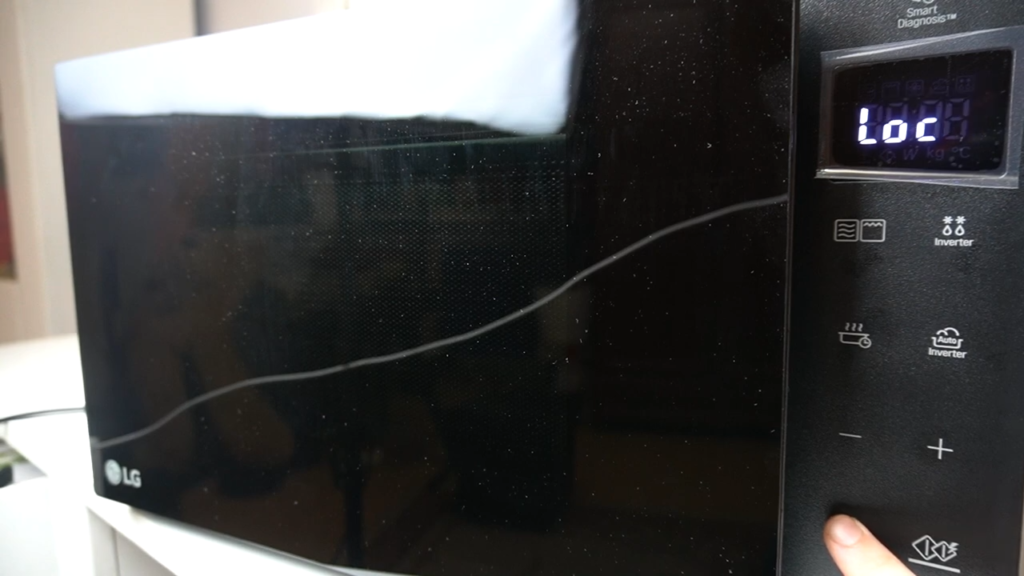
When the child lock is activated, your microwave will show specific signs that help you identify the issue. Here’s what to look for:
Microwave buttons not working at all
When child lock is enabled, pressing any buttons on the control panel will not start or change any function. The microwave essentially ignores every command you give it, protecting against accidental use by children.
Display shows “L”, “LOC”, lock icon, or padlock symbol
The display typically shows a clear lock indicator when this feature is active. You might see “LOCK”, “LOC”, a padlock icon where the time normally appears, or simply an “L” on the screen. On some models, the time will even disappear from the display once the child lock is set, with only the lock symbol remaining visible.
Microwave has power but won’t start
Your microwave will appear to be working normally. The display lights up, and the unit clearly has power, but it refuses to cook or heat anything. This is because once the child lock is set, you’ll be unable to use any functions and no cooking can take place.
Door opens normally (important distinction from door lock issues)
This is a key detail that separates child lock from actual door latch problems. The child lock does not lock the door itself. Your child can still open the oven door freely. The lock only prevents the control panel from operating, not the physical door mechanism.
Suggested Read: Microwave Oven Door Not Opening or Closing Problem
Check Before Troubleshooting
Before you start pressing buttons or unplugging things, take a moment to confirm what’s actually happening. This quick checklist will save you time and help you avoid unnecessary troubleshooting:
Is the display showing L / LOC / 🔒 ?
Look at your microwave’s display panel right now. If you see “LOCK”, “LOC”, a padlock icon, or just the letter “L” where the time normally appears, the child lock is definitely active. This is your microwave’s way of telling you the control panel is intentionally disabled.
Are all buttons disabled?
Try pressing a few different buttons. If absolutely nothing responds, not even a beep or light change, you’re dealing with an active child lock. In this lock state, all buttons are disabled and the microwave won’t accept any commands until you unlock it.
Was the microwave recently cleaned (possible accidental long-press)?
Think about the last time you wiped down your microwave. The child lock feature typically activates when you press and hold a specific button for about 3 seconds.
If you were cleaning the control panel and accidentally leaned on a button, you might have triggered the lock without realizing it. This happens more often than you’d think.
Did a child press multiple buttons?
Let’s be honest, kids are curious. If a child was playing with the microwave buttons or “helping” in the kitchen, they may have accidentally activated the child lock.
Some models require pressing and holding the STOP/RESET or STOP/CANCEL button for 3 seconds, which curious little hands can easily do while exploring.
Is this a touch keypad or mechanical dial model?
This matters because the unlock method varies drastically. Most modern microwaves have electronic touch keypads where the lock is controlled by button combinations.
However, certain mechanical dial-type GE countertop microwaves have a physical door-lock mechanism that requires a screwdriver to unlock. Knowing which type you have will point you to the right solution immediately.
Don’t risk further damage. Concord Services offers quick, dependable microwave repair in Kolkata to bring your appliance back to life.
How to Turn Off Child Lock?
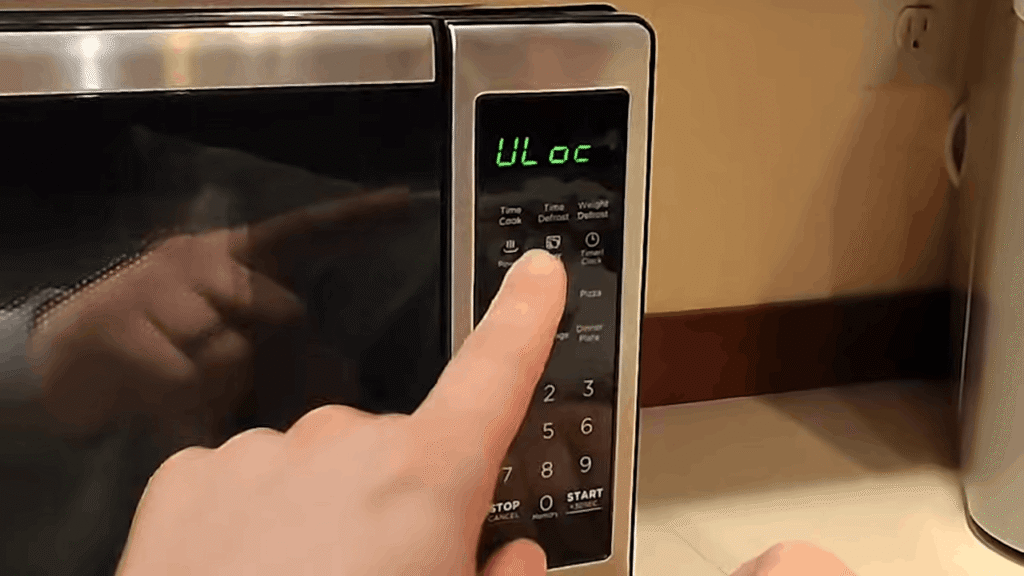
Most Common Method (Works on Many Models)
Locate the Stop/Cancel button on your microwave’s control panel and press and hold it for 3 to 5 seconds. This universal method works across many brands and models.
You’ll know it worked when you hear a beep sound and the lock indicator (L, LOC, or padlock icon) disappears from the display.
In the lock state, all buttons are disabled, but once unlocked, your microwave returns to normal operation and you can use it again.
Alternate Button Combinations (Very Common)
Different brands use different button combinations to activate and deactivate child lock. Here’s what you need to know: the specific combination varies by brand and model, so you might need to try a couple of options.
Clear/Off works on many GE models (press and hold for 3 seconds).
Start/Enter is the unlock button for LG microwaves (hold for 4 seconds until the L disappears).
Clock + another key together unlocks Samsung models (press Clock and More/Less simultaneously for 3 seconds). Two number keys pressed together also works, like pressing 5 and 7 together for 3 to 5 seconds on certain GE models. The key is holding the buttons long enough for the microwave to register the command and respond with a confirmation beep.
Mechanical Child Lock (Older Models)
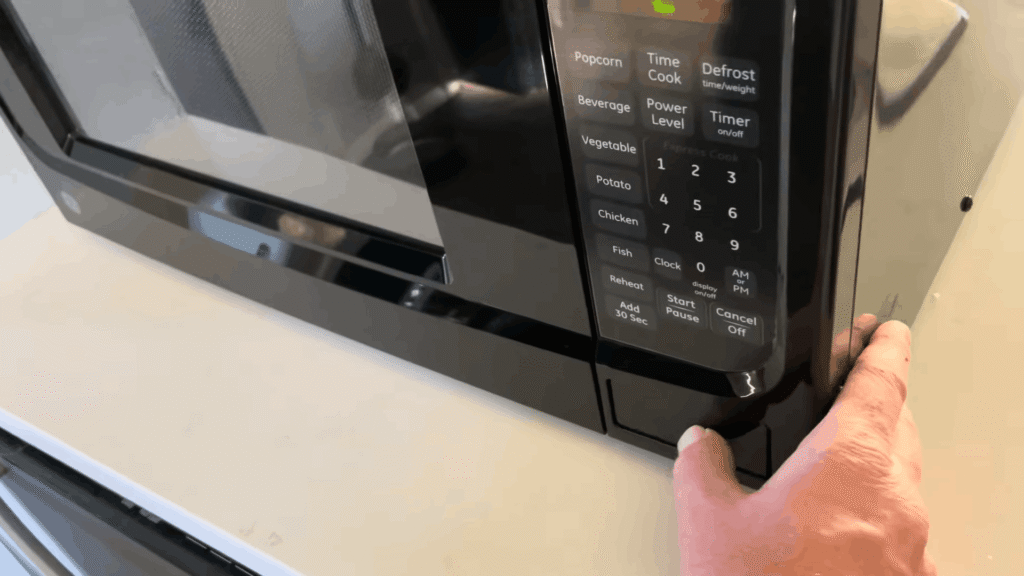
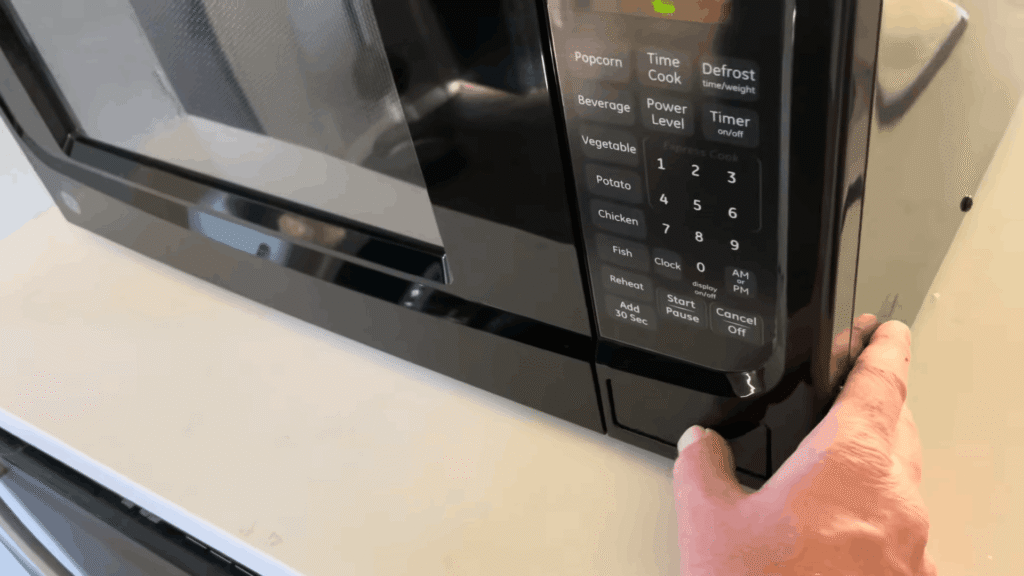
Here’s something important: if you have an older or basic countertop microwave, especially certain mechanical dial-type GE models, your child lock might not be electronic at all. It’s a physical mechanism located near the door button itself.
Out of the box, the child lock on these models is often enabled. When locked, you can’t open the door by pressing the main door button alone. Instead, you need to press a small secondary button on the right side at the same time as the main door button on the left.
To disable this lock permanently, look for a small slot with an arrow or notch pointing to “lock” at the right-hand child-lock button. Insert a Phillips screwdriver and turn it to the right to switch it to “unlock.” When turned to unlock, the button stays recessed in the casing, and the door opens normally with only the main button.
This is NOT a software issue. No amount of button pressing or unplugging will fix a mechanical lock. You need the screwdriver method.
Microwave Reset Method (Last Resort)
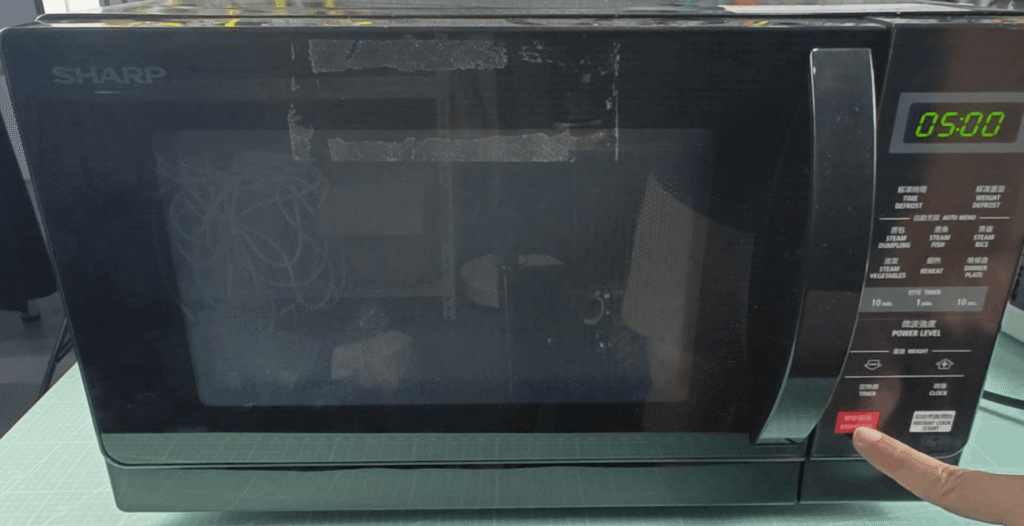
If you’ve tried every button combination and nothing works, there’s one more simple fix that often clears stubborn child locks. This is your nuclear option, and it works more often than you’d think.
Unplug the microwave from the wall outlet
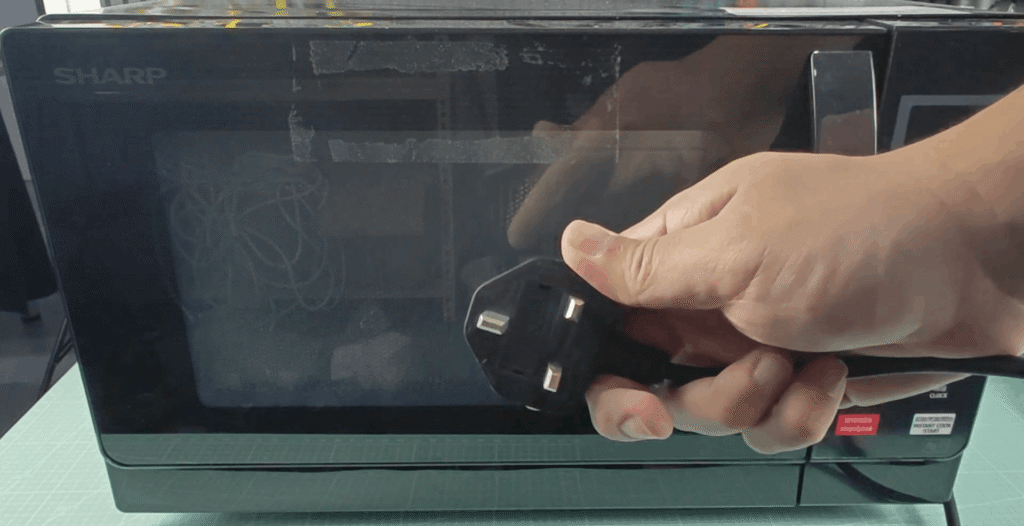
Pull the plug completely out of the socket or switch off the circuit breaker if you can’t reach the outlet easily. This cuts all power to the microwave and forces a complete system shutdown.
Wait 1 to 10 minutes (model dependent)
The wait time varies depending on your microwave brand. Samsung and GE models typically need 10 minutes for a full hard reset, while LG and Panasonic models usually clear after just 2 to 3 minutes. Most other brands fall somewhere in between at around 5 minutes.
Plug back in and reset the clock
After the waiting period, plug the microwave back in or restore power. You’ll need to reset the clock because the microwave has lost all its settings, including the child lock.
Why this works: clears control board memory
Think of this like restarting your computer when it freezes. Unplugging the microwave performs a soft reset that clears the control board’s memory, including any lock settings that were stuck or activated accidentally. It’s essentially forcing the microwave to forget everything and start fresh.
What to Do If the Child Lock Still Won’t Turn Off?
If you’ve tried everything and the child lock simply refuses to budge, you’re likely dealing with a hardware issue, not just a settings problem. Here’s what could be going on.
Faulty touch keypad (common after moisture ingress)
This is the most common culprit when buttons stop responding altogether. If some buttons work but important ones like Start or Cancel don’t, or if water or cleaning solution has gotten under the touch panel, the touchpad and control panel assembly is likely faulty and needs to be replaced as a unit.
Stuck membrane switch
The membrane switch is a layered Mylar plastic with conductive coatings that complete a circuit when you press a button. Over time, wear of this coating or moisture damage can stop signals from reaching the control board, making buttons unresponsive even though the display still lights up.
Control board failure (rare)
A defective main control board is less common and should only be suspected after door switches, touchpad, and membrane switches have been ruled out. If none of the buttons on the control panel respond correctly despite everything else testing good, the control board may need replacement.
Internal wiring issue
Loose, damaged, or corroded wires between the light, switches, and control board can prevent proper communication. This is harder to diagnose without opening the unit and requires careful inspection of all connections.
⚠️ CRITICAL SAFETY WARNING: Do NOT open the microwave casing yourself.
Microwaves use high voltage and current that can cause serious injury or death. Even when unplugged, the high-voltage capacitor can retain a dangerous charge. Only experienced professionals should test or replace internal components. If your microwave needs internal repair, call a qualified technician.
Suggested Read: How to use microwave oven safely at home?
What NOT to Do?
When you’re frustrated with a locked microwave, it’s tempting to get aggressive with the controls. But here’s what you need to avoid to prevent turning a simple fix into an expensive repair.
Don’t press random key combinations aggressively
Frantically mashing buttons in frustration won’t unlock your microwave any faster. In fact, aggressive button pressing can damage the touchpad and control panel assembly, especially if some buttons already aren’t responding well. Be deliberate and gentle with your button presses.
Don’t try to short circuit buttons
Never attempt to bypass the control panel by shorting wires or touching conductive parts with metal objects. Microwaves use high voltage and current that can cause serious injury or death if the unit is disassembled, and the high-voltage capacitor can retain a dangerous charge even after unplugging.
Don’t open the control panel without training
Opening the microwave casing without proper knowledge is extremely dangerous. The appliance should only be repaired or serviced by qualified service personnel, and incorrect repairs can be life-threatening. Even when unplugged, internal components remain charged and pose an electrocution risk.
Don’t keep restarting repeatedly without pause
Constantly unplugging and plugging the microwave back in without waiting can stress the control board and other internal components. If you’re doing a reset, give it the proper wait time (1 to 10 minutes depending on your model) instead of cycling power every few seconds, which can cause more harm than good.
Conclusion
Most child lock issues are simple setting problems, not hardware failures. Try the button combinations and reset method before worrying. If nothing works after 10 minutes of troubleshooting, don’t risk opening the microwave yourself. Call a qualified technician who can safely diagnose and fix the problem without putting you in danger.