Microwave Plate Not Spinning? Fix Today With Easy Checklist
Find Out Why Your Microwave Turntable Stopped Spinning And How To Fix It Safely At Home. Step-By-Step, User-Friendly Guide.
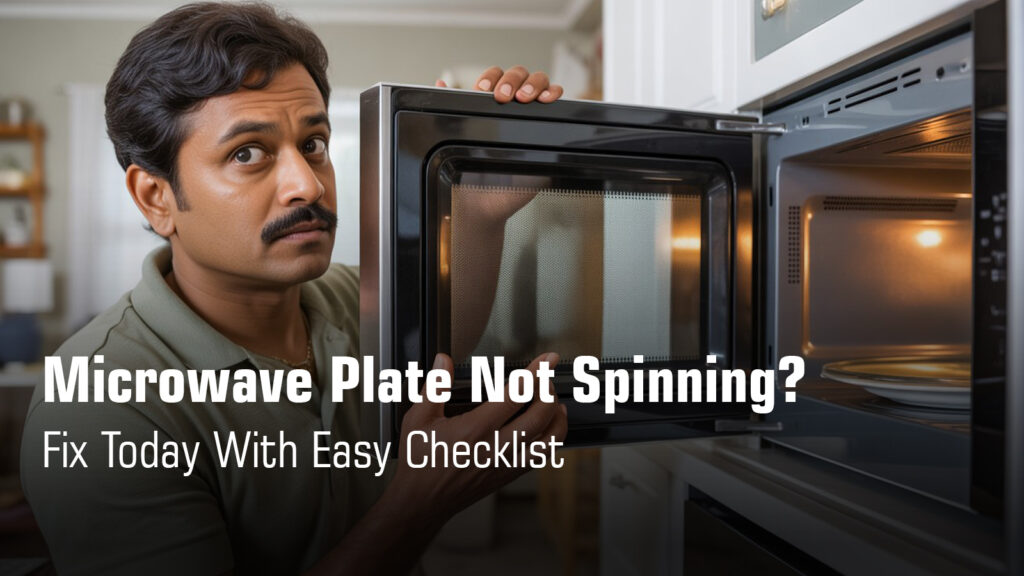
Your microwave powers on, the light’s working, but the glass plate just sits there (If your microwave won’t turn on at all, that’s a different issue you’ll need to tackle first.). Result? Cold spots in your food and uneven heating that leaves you frustrated.
Here’s the thing: a stationary turntable is rarely a major breakdown. Most times, it’s something simple like a misaligned tray, dirty roller ring, or even an accidentally activated setting.
This guide helps you pinpoint the exact cause in under a minute without touching a single screw. We’ll walk through safe, user-level fixes that actually work, and show you when it’s time to call a technician.
No confusing technical terms. No risky internal repairs. Just clear answers that help you get your microwave spinning again.
Let’s start with a quick checklist to identify your issue right now.
Quick Checklist to Fix Microwave Plate Not Spinning
Hire Concord Service’s Technician in Kolkata for
Doorstep Microwave Oven Repair
₹0 Advance Charges
How the Microwave Turntable System Works?
Think of your turntable as a simple four-part team working together. When even one part is out of place, the whole system stops.
The Four Essential Parts:
- Glass tray – The rotating plate that holds your food
- Roller ring – The circular support with small wheels that sits on the oven floor
- Turntable coupler – The plastic piece that connects the motor shaft to the glass tray
- Turntable motor – Hidden beneath the oven cavity, this drives the entire rotation
Critical Safety Note:
Your microwave should never be operated without all these parts properly positioned. This isn’t just about even cooking; it’s about protecting the appliance itself.
Every manual stresses this because running the microwave with missing or misaligned parts can damage internal components.
When everything’s aligned correctly, the motor spins the coupler, which turns the tray on the roller ring. Simple, right? That’s why most turntable problems have equally simple fixes.
Common Reasons Why the Microwave Plate Is Not Spinning
| Cause | Symptoms | DIY Fix Possible? |
|---|---|---|
| Misaligned glass tray | Plate wobbles, tilts to one side, or gets stuck while trying to rotate | ✅ Yes (30 seconds) |
| Dirty or damaged roller ring | Grinding noises, jerky movement, or wheels that don’t roll smoothly | ✅ Yes (5 minutes) |
| Food debris under tray | Plate completely stuck and won’t budge even when turned by hand | ✅ Yes (2 minutes) |
| Worn turntable coupler | Tray spins freely by hand but stays still during cooking | ⚠️ Maybe (needs some skill) |
| Turntable motor failure | No movement at all; may hear faint humming from underneath | ❌ No (call technician) |
| Turntable-off mode activated | Plate stops spinning in grill or convection mode (on select models) | ✅ Yes (check settings) |
| Overloaded or off-center dish | Plate tries to move but stalls, especially with heavy containers near the edge | ✅ Yes (reposition now) |
Easy Do-It-Yourself Fixes
Re-seat the Glass Tray Properly
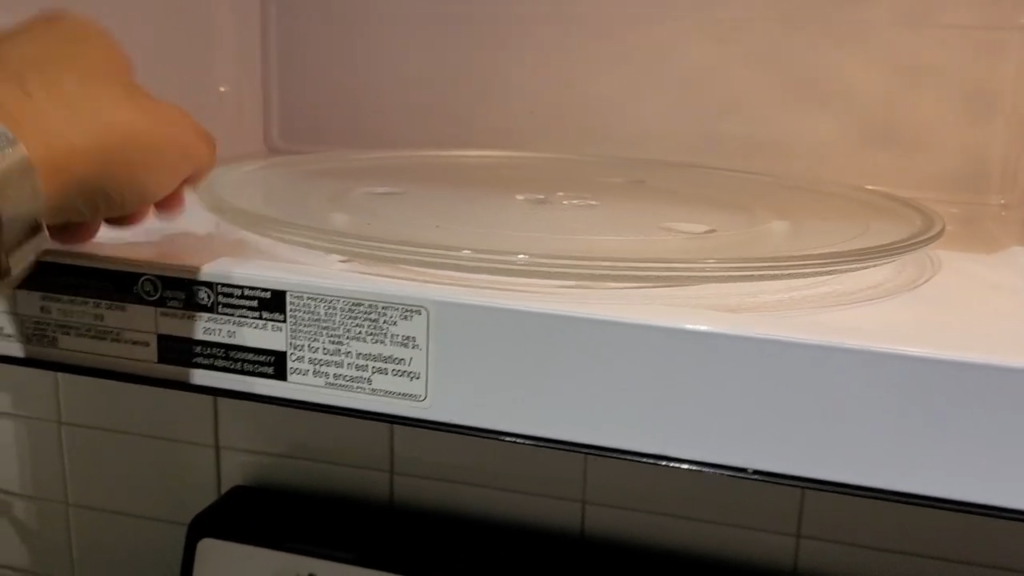
This is the most common fix, and it takes about 30 seconds. Remove the glass tray completely, then place it back down so the grooves on the bottom align with the turntable shaft in the center. The tray should sit completely flat, not tilted or wobbling to one side. If it rocks even slightly, lift it up and try again until it clicks into position naturally.
Quick check: Gently spin the tray with your hand. It should rotate smoothly without catching or scraping.
Clean the Roller Ring & Base
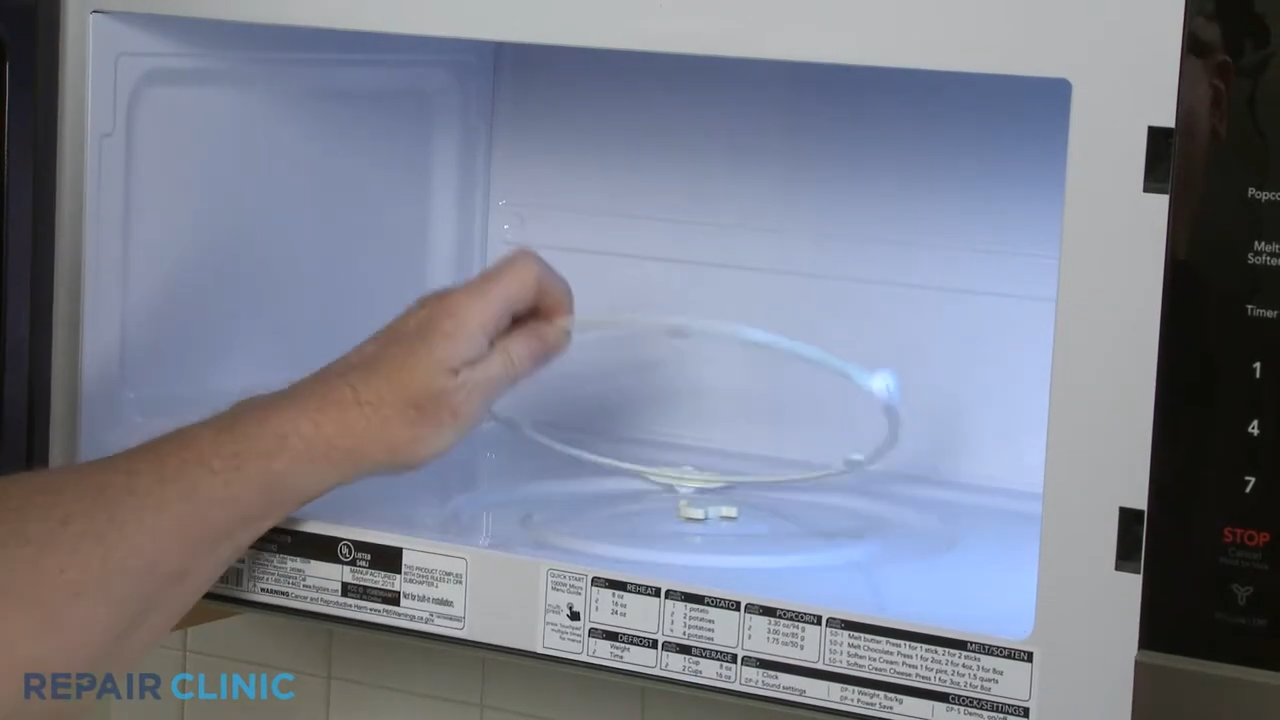
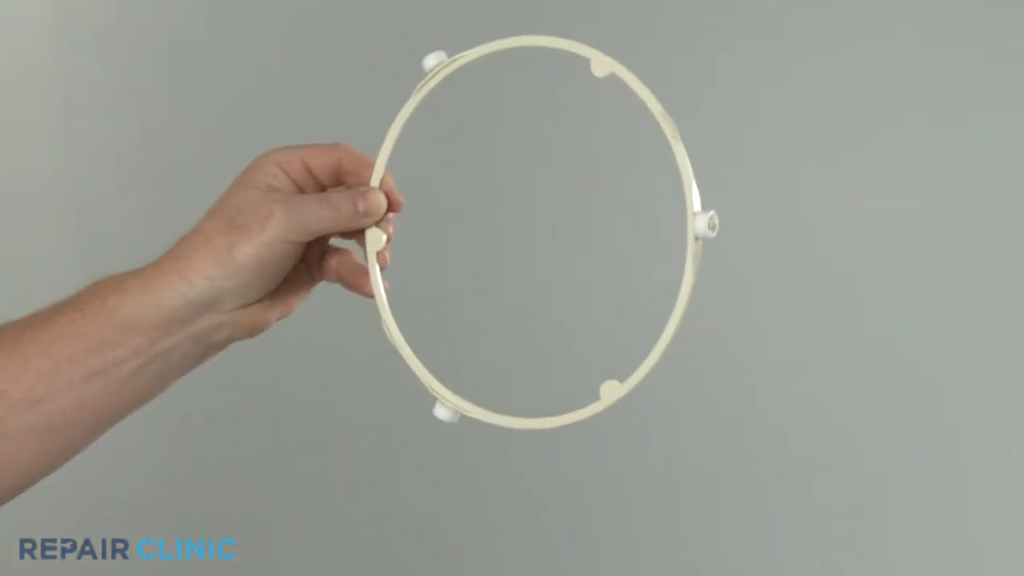
You’d be surprised how much difference a quick clean makes here. Remove both the glass tray and the roller ring from inside the microwave. Wash the roller ring in warm soapy water, paying attention to the small wheels underneath. While it’s out, wipe down the oven floor where the ring sits to remove any sticky residue or food particles.
Why this matters:
Dirt buildup causes excessive noise and restricted movement. A clean roller ring means smooth, quiet rotation every time. If you’re hearing unusual grinding or loud noises from your microwave even after cleaning, the problem might extend beyond just the turntable.
Suggested Read: How to Properly Clean Your Microwave Oven at Home?
Check Free Rotation (Manual Test)
Here’s a simple diagnostic you can do right now. Put everything back in place, then try rotating the glass tray by hand. Does it spin freely and smoothly? If it feels stiff, catches in certain spots, or won’t turn at all, you’ve got an obstruction somewhere or a warped roller ring that needs replacing.
What to look for: The tray should glide effortlessly with just a light push. Any resistance tells you something’s blocking the path or a component is damaged.
Suggested Read: Microwave Oven Heats Unevenly -Solutions With Checklist
Reduce Load on the Plate
Let’s be honest, we’ve all tried to microwave that massive casserole dish that barely fits inside. But oversized or very heavy containers can strain the turntable motor and cause it to stall mid-rotation. If your plate stops spinning with certain dishes, try centering your food better or switching to a lighter, more balanced container.
Simple rule: If the dish extends beyond the edges of the glass tray or sits heavily to one side, it’s too much for the system to handle smoothly. read more on our blog about microwave oven safe utensils
Settings & Usage Issues That Stop Plate Rotation
Grill / Convection / Combination Mode
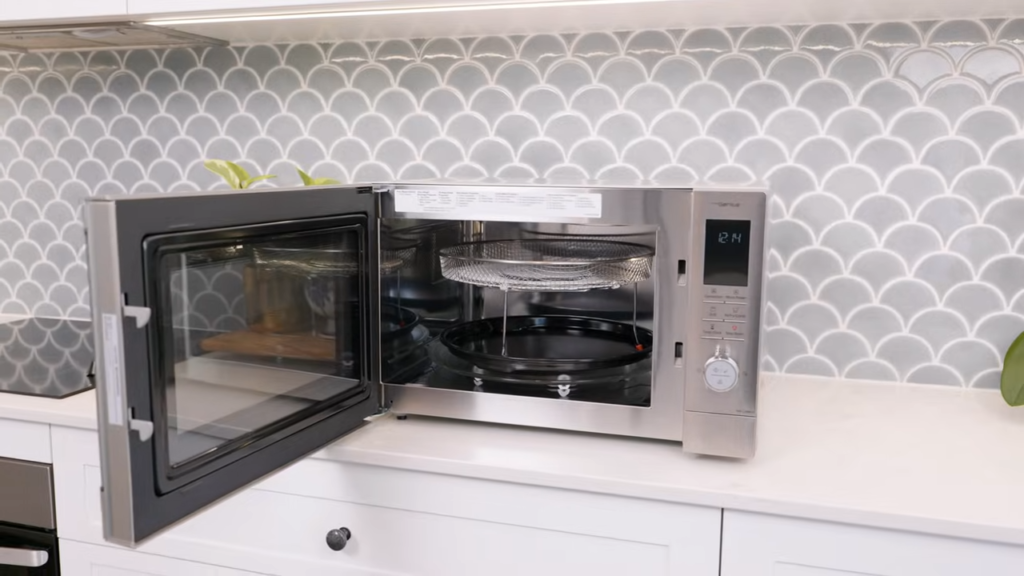
Here’s something that catches people off guard: when you switch to grill, convection, or combination cooking modes, many microwaves automatically stop the turntable. This isn’t a malfunction. It’s actually by design.
These cooking modes use different heating methods that don’t always require rotation, and some models deliberately disable it to accommodate larger dishes or specific cooking styles.
If your plate suddenly stopped spinning after changing modes, check your manual to see if this is normal for your model.
Quick fix: Switch back to regular microwave mode and see if rotation returns.
Turntable Option Disabled
You’ve probably noticed that some newer digital microwaves come with a “turntable on/off” button or menu setting. This feature exists so you can fit oversized dishes that don’t need rotation.
But here’s the thing: it’s easy to accidentally activate this setting and forget about it.
If your plate isn’t spinning and you’ve ruled out physical issues, dive into your settings menu or look for a dedicated turntable button on the control panel.
A quick reset of the microwave (unplug for 10 seconds, plug back in) can also restore default settings.
What to check: Look for options labeled “Turntable,” “Rotation,” or similar in your digital display settings.
When You Need To Call A Technician?
Faulty Turntable Motor
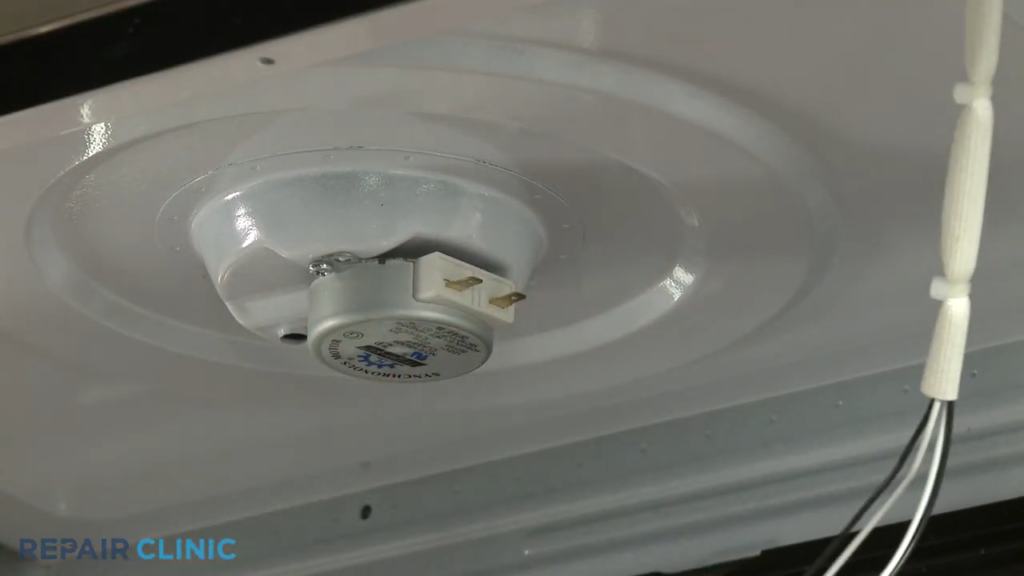
If you’ve tried everything and the plate still won’t budge, you’re likely dealing with a failed turntable motor. Here’s how you know: there’s no rotation whatsoever, you might hear a faint humming or buzzing sound from underneath, or the tray spins perfectly when you turn it by hand but stays frozen during cooking.
Why you shouldn’t DIY this:
Accessing the turntable motor means opening up the microwave and working around high-voltage components. Internal repairs must only be handled by qualified technicians.
Even when unplugged, certain parts can store dangerous electrical charges. This isn’t about being overly cautious; it’s about avoiding serious injury.
What the technician will do: They’ll test the motor for continuity, check if it’s receiving proper voltage, and replace it if defective.
Suggested Read: Microwave Not Turning On – Causes & Fixes
Broken Turntable Coupler
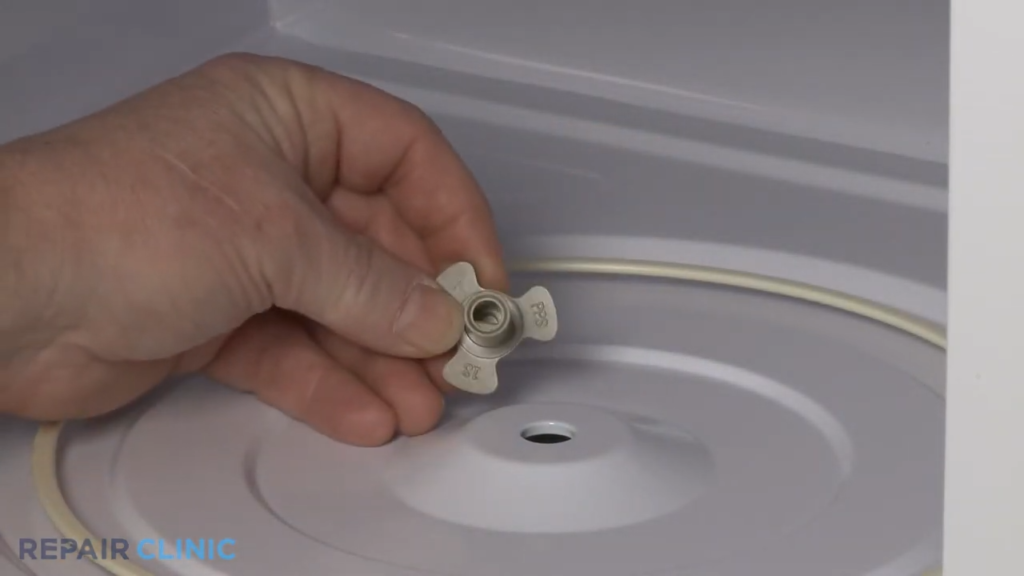
That small plastic piece connecting your motor to the glass tray? It takes a beating over time, especially if you microwave heavy dishes frequently. When the coupler’s teeth wear down or break off completely, the motor runs but nothing happens on top. You might even hear the motor working underneath while the plate sits perfectly still.
Can you replace it yourself? Technically yes, if you’re comfortable flipping the microwave over and removing the bottom panel.
But if you’re not confident working with appliance components or don’t have the right replacement part, a technician can swap it out quickly and test the entire turntable system while they’re at it.
Important Reality Check:
Both of these issues fall outside the “safe DIY zone.” If you’ve ruled out all the simple fixes (cleaning, realigning, checking settings) and your microwave still isn’t cooperating, it’s time to make that service call. Trying to force a repair you’re not equipped for can turn a small problem into an expensive one.
Not sure how to fix it? Concord Services provides quick, trusted microwave oven repair in Kolkata to restore safe, proper operation.
Safety Warnings for Microwave Ovens
These aren’t suggestions. They’re the bare minimum safety rules that protect both you and your appliance.
Never run the microwave without the glass tray and roller ring
This one’s non-negotiable, and it’s printed in bold across every manual for a reason. Operating your microwave without the glass tray, roller ring, and shaft properly positioned can damage internal components and create uneven heating that stresses the magnetron (the part that generates microwaves).
It’s not just about your food cooking poorly; you could be shortening the life of your appliance or creating a safety hazard.
Running the microwave improperly can also lead to electrical issues that trip your circuit breaker.
Do not open the bottom panel yourself
Here’s where things get serious. The bottom panel and internal cavity of your microwave house high-voltage components that can store dangerous electrical charges even after you’ve unplugged the unit.
Any service or repair that involves removing protective covers must only be done by qualified technicians. This is especially true if you’re also experiencing microwave oven door issues, as faulty door switches can affect the entire microwave operation including the turntable.This isn’t a “be careful” warning; it’s a “don’t risk your life” warning.
Always unplug before cleaning
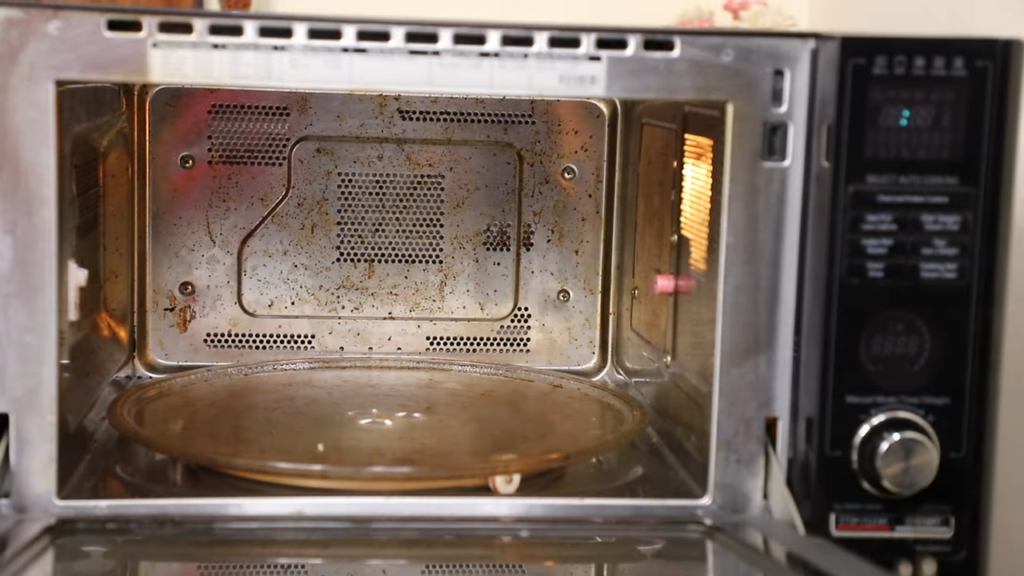
This sounds obvious until you’re in a hurry and just want to wipe down the inside quickly. But even basic cleaning should start with unplugging the microwave from the wall.
Moisture and electricity don’t mix, and control panels can accidentally activate if bumped while damp. Take the extra five seconds to pull the plug; it’s a simple habit that prevents accidents.
Commonly Asked Questions
Why is my microwave plate not spinning but the microwave is working?
Usually it’s just a misaligned tray, dirty roller ring, food debris underneath, or a worn coupler connecting the motor to the plate.
Can I use a microwave if the glass plate is not rotating?
You can, but you shouldn’t because food heats unevenly with cold spots, and manuals warn against running the microwave without properly positioned parts.
What causes the microwave turntable to stop spinning suddenly?
Common causes include misaligned tray after cleaning, blocked roller ring, switching to grill/convection mode, or overloaded dishes stalling the motor.
How do I know if my microwave turntable motor is faulty?
The plate won’t move at all, you hear humming from underneath, but the tray spins freely by hand when the microwave is off.
Why does my microwave plate spin sometimes and stop sometimes?
This points to a worn coupler, partially jammed roller ring, heavy or unbalanced dishes, or a motor that’s starting to fail.
Does the microwave plate rotate in grill or convection mode?
Many models automatically disable rotation in grill, convection, or combination modes because these cooking methods don’t require spinning.
How do I fix a microwave plate that is stuck or jammed?
Remove the tray and roller ring, clean the oven floor thoroughly, check for damage or blockages, then reassemble with proper alignment.
What is the roller ring, and can a damaged roller ring stop rotation?
It’s the circular support with wheels that holds your glass tray, and yes, clogged or cracked wheels will stop or disrupt rotation.
Why is my microwave making noise but the plate is not turning?
The motor is trying to work but can’t turn the plate due to a broken coupler, blockage, or the motor itself wearing out.
Is microwave turntable repair expensive, or should I replace the microwave?
Simple parts like roller rings or couplers are cheap, but motor replacement costs enough that buying a new microwave often makes more sense if the unit is old.