Microwave Oven Problems & Solutions – Easy Troubleshooting
Facing microwave issues like no heating, burning smell, or door problems? This guide helps you diagnose issues fast and know when to call a technician.
Your microwave just stopped working, and you’re standing there wondering if it’s broken for good or if there’s a quick fix. Here’s the thing: most microwave problems fall into three simple categories. Power and control issues are the first, like when nothing lights up or buttons don’t respond.
Then there are heating and performance problems, where the machine runs but your food stays cold. Finally, there are mechanical and safety-related issues, such as strange noises or door troubles.
Many of these have surprisingly simple fixes you can try yourself. But some involve high-voltage components that can hold dangerous charges even when unplugged, so knowing when to stop and call a pro is just as important as knowing what to try first. This guide is built to help you diagnose fast without drowning in technical jargon.
Microwave Troubleshooting Quick Table
| Problem | Quick Check | Likely Cause | DIY or Pro? |
|---|---|---|---|
| Won’t turn on | Check plug and circuit breaker | Blown fuse or power issue | DIY first, then tech |
| Runs but no heat | Turn off child lock, check door closure | Dead magnetron or high-voltage fault | Call a technician |
| Stops after 2-3 seconds | Close door firmly, listen for click | Faulty door switch | Needs a technician |
| Sparking inside | Remove metal, clean thoroughly | Burnt food or damaged waveguide | DIY cleaning, tech for parts |
| Burning smell | Unplug, check for stuck food | Failed fan or magnetron | Clean first, tech if it persists |
| Turntable stuck | Reseat tray and roller ring | Jammed roller or broken motor | DIY fix or tech |
Simple, clear, and gets you moving in the right direction without the overwhelm.
Call Us For Sameday Doorstep Microwave Oven Repair in Kolkata & Surrounding Areas
₹0 Advance Charges
Safety First: What You Should NEVER Try to Fix Yourself
The High-Voltage Capacitor Stays Charged
Even after you unplug your microwave, the high-voltage capacitor inside can hold a lethal charge for weeks or even months. This component stores several thousand volts, and touching it without proper discharge procedures can cause serious injury or death.
Never Open the Casing for These Components
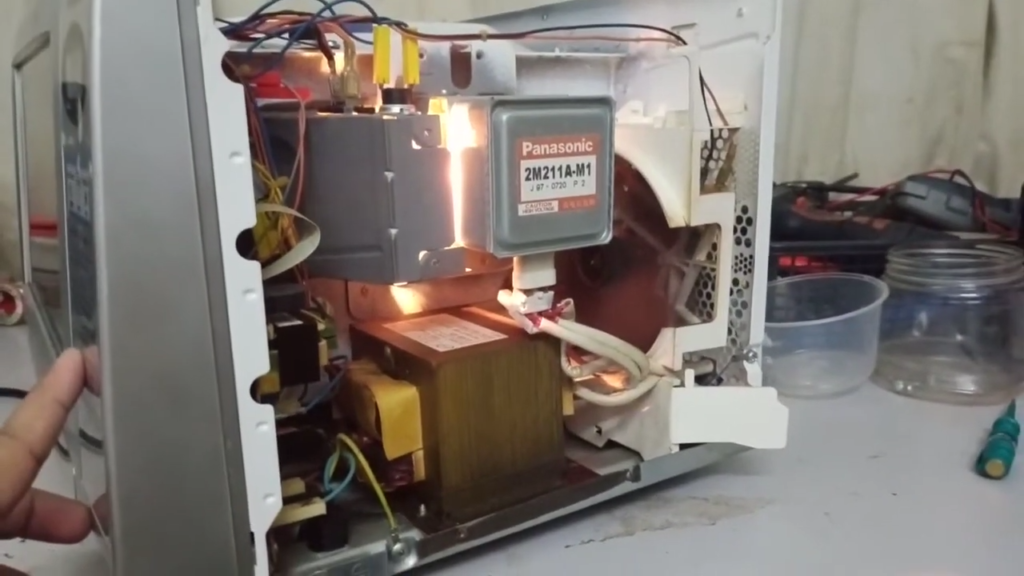
Four parts are strictly off-limits: the magnetron (generates microwave energy), high-voltage diode (converts power), capacitor (stores dangerous voltage), and transformer (steps up electricity to lethal levels). These require specialized training and equipment that only qualified technicians have.
Door, Latch, and Interlock Systems Are Safety-Critical
Your microwave’s door system includes multiple safety switches that prevent the unit from running when open, protecting you from radiation exposure. If these fail or get improperly installed, your microwave could operate with the door open, which is extremely dangerous.
Can’t solve the issue on your own? Concord Services delivers prompt, dependable microwave oven repair in Kolkata to get your appliance running safely and efficiently again.
Microwave Not Turning On at All
Check Wall Socket, Plug, and Extension Cord
Start simple. Make sure the plug is pushed firmly into the wall outlet. Avoid extension cords entirely, as they can cause power issues and even safety hazards.
Tripped MCB or Blown House Fuse
Check your circuit breaker panel. If the microwave’s breaker has tripped, flip it fully off, wait two minutes, then turn it back on.
Internal Microwave Fuse Failure (Non-DIY)
A blown ceramic fuse inside your microwave will leave it completely dead. This requires opening the unit and handling high-voltage components, so call a technician for this one.
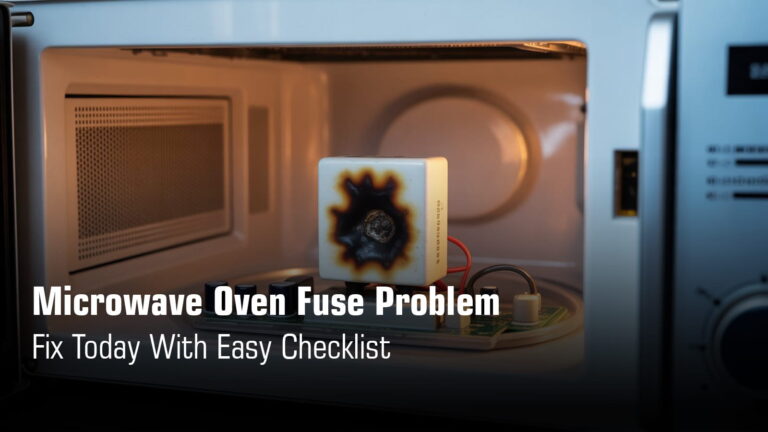
Suggested Read: Microwave Oven Fuse Problem – Fix Today With Easy Checklist
Faulty Door Switch Preventing Power Flow
If one of your door’s safety switches fails, the entire microwave won’t power on. These switches are designed to protect you, but when they break, nothing works.
Quick Fix Checklist
- Plug directly into the wall (no extension cords)
- Test the outlet with another appliance
- Listen for the door click when you close it
Need more help? Check out our guide: Microwave Not Turning On – Causes & Fixes
Microwave Runs but Does Not Heat Food
User-Level Causes
Child Lock / Control Lock Enabled
Check your display for “LOC” or “L.” This safety feature lets the microwave light up and spin, but blocks all heating. Read more on Microwave oven child lock issue solutions
Demo or Showroom Mode
Your microwave might be stuck in retail display mode, which makes everything look normal without actually cooking. Check your settings menu to turn this off.
Power Level Accidentally Set Too Low
After using defrost, your power might be stuck at 10-30%. The microwave runs, but there’s barely any heat being delivered.
Mechanical & Electrical Causes
Faulty Magnetron
This part generates the microwave energy. When it dies, everything else works but nothing heats.
High-Voltage Diode Failure
The most common culprit. When this fails, your magnetron doesn’t get the power it needs to heat food.
Capacitor Malfunction
Works with the diode to power the magnetron. If it fails, heating stops completely.
Door Interlock Switch Not Fully Engaging
Even one failed door switch will prevent heating as a safety measure. Sometimes just cleaning the latch helps.
Check out our guide: Microwave Oven Working but Not Heating Food
⚠️ CRITICAL SAFETY TEST
Put a mug of water in your microwave, run it for 60 seconds at full power. If the water stays cold, stop using the microwave and call a technician.
Microwave Turns Off After 2–3 Seconds
This happens when your microwave’s safety system detects an incomplete door circuit. Most units have 3-4 door switches that must all engage properly, and if one fails or the latch is misaligned, the safety system cuts power instantly to prevent radiation exposure.
A thermal cutoff can also trip after detecting overheating, or the control board itself may shut things down if it senses an unsafe condition.
What You Can Try: Clean around the door latch area thoroughly (DIY-safe).
Leave to a Technician: Door switch replacement requires opening the unit and handling internal wiring.
More help:
Microwave Turning Off After 3 Seconds
Microwave Oven Touch Panel Not Working – Find Solutions
Microwave Sparking or Arcing Inside
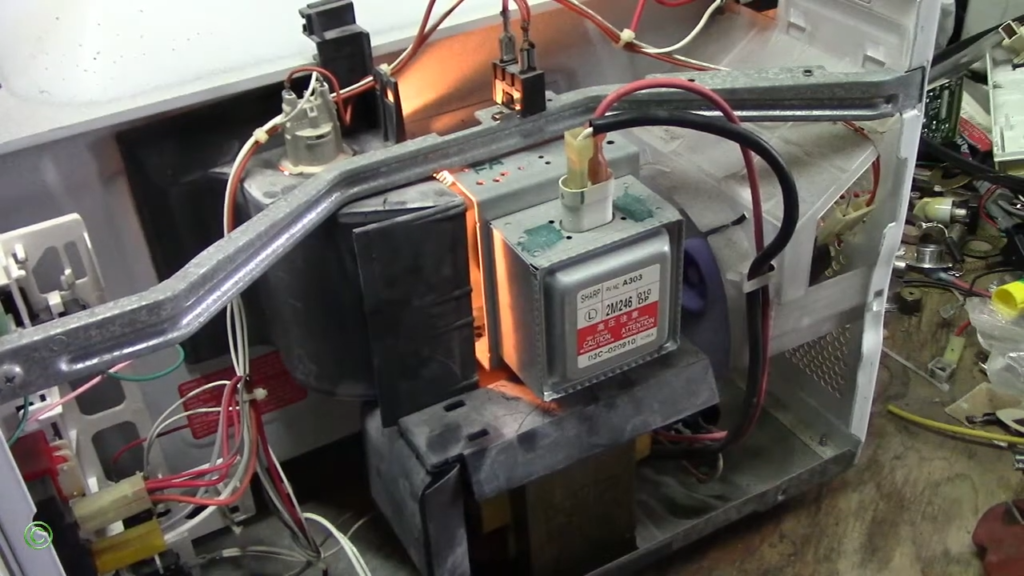
Metal Utensils or Foil
Metal reflects microwave energy and creates dangerous sparks. Even a tiny twist tie or gold-trimmed dish can cause blue flashes.
Burnt Food Residue on Cavity Walls
Old grease and food splashes carbonize over time, turning into conductors that spark when the microwave runs.
Damaged Waveguide Cover (Mica Sheet)
This protective panel gets burnt from food splashes. When damaged, it allows arcing that can harm internal electronics.
Paint Damage Exposing Metal
Chipped interior paint reveals bare metal underneath, creating electrical discharge points that spark visibly.
Quick Action Steps
- Stop immediately and unplug
- Remove all metal objects
- Clean thoroughly with mild soap
- Check waveguide cover for damage (don’t remove it)
More help: Microwave Sparking Problem
Burning Smell While Microwave Is Running
Normal Smells
First-Time Use
New microwaves often smell like plastic or chemicals during the first few uses as factory coatings burn off. Run it empty a few times and the smell will disappear.
Food Splatter Reheating
Old food stuck to your microwave’s walls keeps cooking every time you use it, creating that burnt smell. A good cleaning usually solves this completely harmless issue.
Dangerous Smells
Electrical Burning
That sharp, acrid smell like burning electronics means something inside is shorting out or overheating. This needs immediate professional attention.
Melted Wire Insulation
If you smell burning plastic that gets stronger each time, a wire connection inside has likely melted from overheating. Only a technician should handle this repair.
Overheating Magnetron
A failing magnetron produces a distinct electrical burning odor as its internal antenna burns down. Manufacturers often recommend replacing the magnetron, transformer, and diode together for a proper fix.
User-Level Fixes
- Deep steam cleaning: Mix water, vinegar, and vanilla extract, microwave for 6 minutes, let sit 15 minutes, then wipe clean.
- Remove grease buildup: Focus on ceiling, walls, and the waveguide area where carbonized food concentrates.
- Check fan vents: Clear any blockages around your microwave to prevent component overheating.
When to Stop Using Immediately
Unplug right away if you notice:
- Electrical smell that persists after thorough cleaning
- Smoke, visible overheating, or unusual sounds with the burning smell
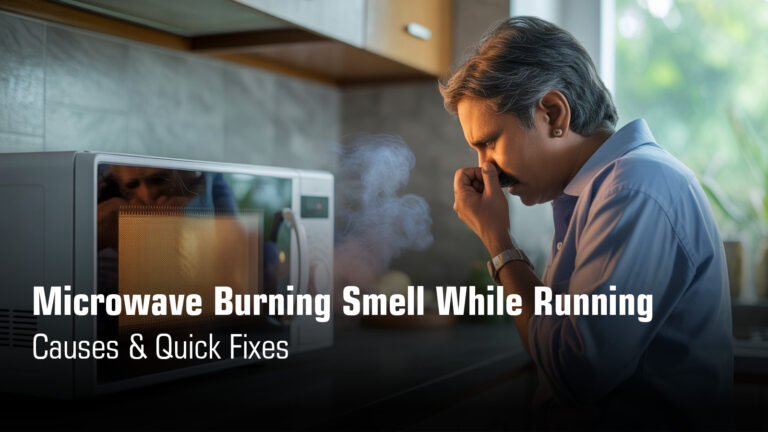
More help: Microwave Burning Smell While Running
Microwave Fan Not Working or Making Loud Noise
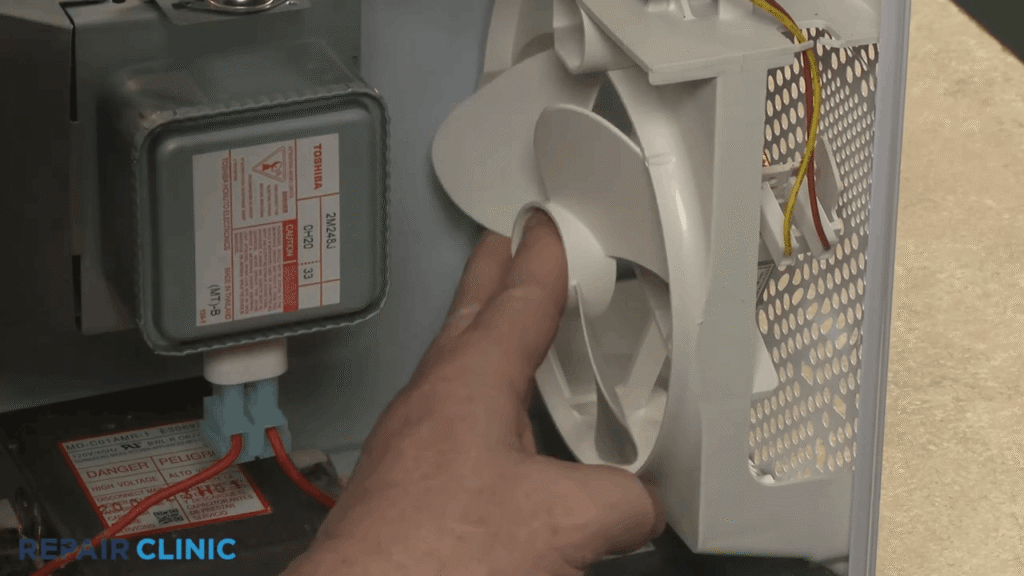
Why the Fan Matters
Fan Cools Magnetron and Transformer
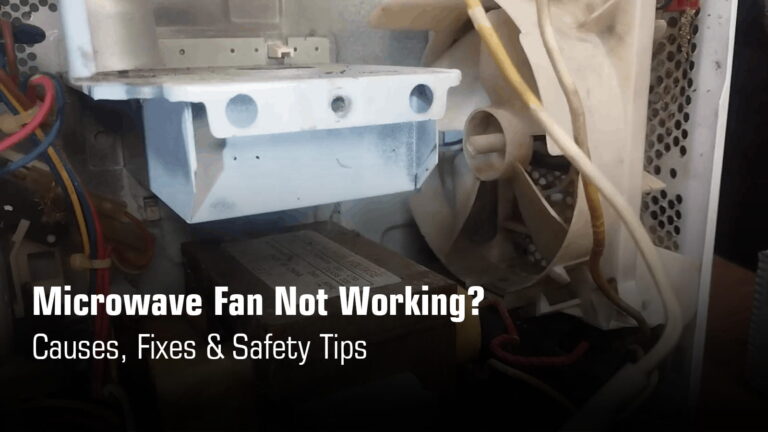
Your microwave’s cooling fan isn’t optional, it’s essential. It keeps the magnetron and transformer from overheating during operation, which is why you’ll hear it running even after you’ve stopped cooking.
Fan Failure Can Permanently Damage Microwave
When the fan stops working or gets jammed, those high-voltage components overheat quickly. Running your microwave for just 10-15 minutes with a dead fan can burn out the magnetron or transformer, turning a simple fan issue into an expensive replacement situation.
Common Causes
Grease-Clogged Fan
Cooking oils and grease get pulled into the fan system over time, coating the blades and motor shaft with sticky buildup. This makes the fan slow, noisy, or completely stuck, and it’s one of the most common reasons for fan problems.
Worn Fan Motor
The fan motor’s bearings dry out or wear down from constant use. When this happens, you’ll hear grinding or squealing sounds, and eventually the motor seizes up completely and stops spinning.
Control Board Relay Failure
Sometimes the fan motor itself is fine, but the relay on the control board that switches it on gets stuck. This is surprisingly common and can often be fixed by tapping the relay firmly to free the internal contacts.
User Checks
Clean Grease Filters
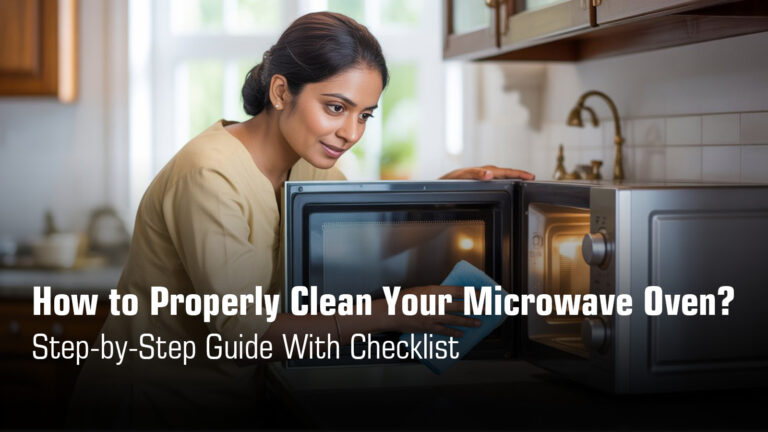
Your grease filters trap oils from cooking and can get completely clogged. Remove them from the bottom of your microwave and wash them in hot soapy water, or replace them if they’re too far gone. Read our detailed guide on properly cleaning your microwave at home with checklist.
Check External Vent Airflow
Make sure nothing is blocking the vents on your microwave and that the external vent (if you have one) isn’t clogged. Poor airflow forces the fan to work harder and can cause it to overheat or fail prematurely.
Microwave Door Not Opening or Closing Properly
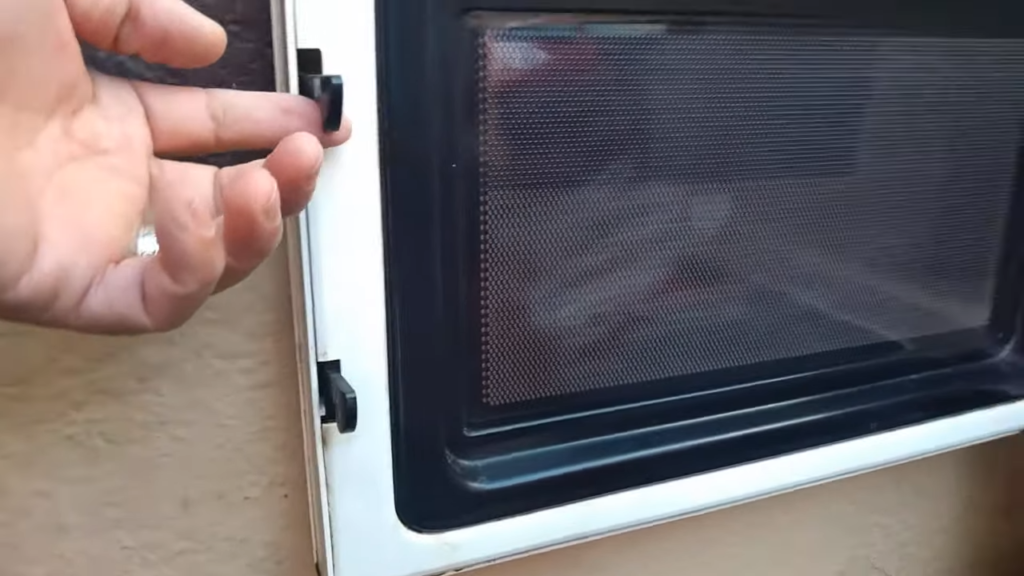
What’s Usually Going Wrong
Broken Latch Spring
The tiny spring that makes your latch snap back has lost its anchor point. Without it, the latch just hangs there, and your door won’t stay closed unless you physically hold it shut.
Worn Plastic Hooks
Those plastic hooks that push the safety switches wear down over time. When they break, your door looks closed but the microwave thinks it’s open, so nothing happens when you press start.
Misaligned Hinges
Loose hinges make your door sag or sit crooked. It might technically close, but it won’t seal or engage the switches properly.
Why This Actually Matters
The Safety System Won’t Let It Run
Your microwave has multiple switches that all need to click before anything works. Miss just one, and you’re stuck staring at a dead appliance. This isn’t a bug, it’s a feature that keeps you safe.
Never Force It or Bypass the Locks
Seriously. Those interlock switches prevent radiation from leaking out when the door is open. Trying to “fix” this yourself by bypassing them is dangerous and explicitly warned against in every manual.
What You Can (and Can’t) Touch
You can do this: Remove the inner trim panel, look for broken pieces, and clean out any gunk. Visual inspection is safe and sometimes reveals the obvious culprit.
Leave this to the pros: Actually replacing springs, latches, or hinges. These parts are under tension, need precise alignment with safety switches, and can create hazards if installed wrong. Read our detailed guide on installation of a domestic microwave oven.
More help: Microwave Oven Door Not Opening or Closing Problem
Microwave Heats Unevenly
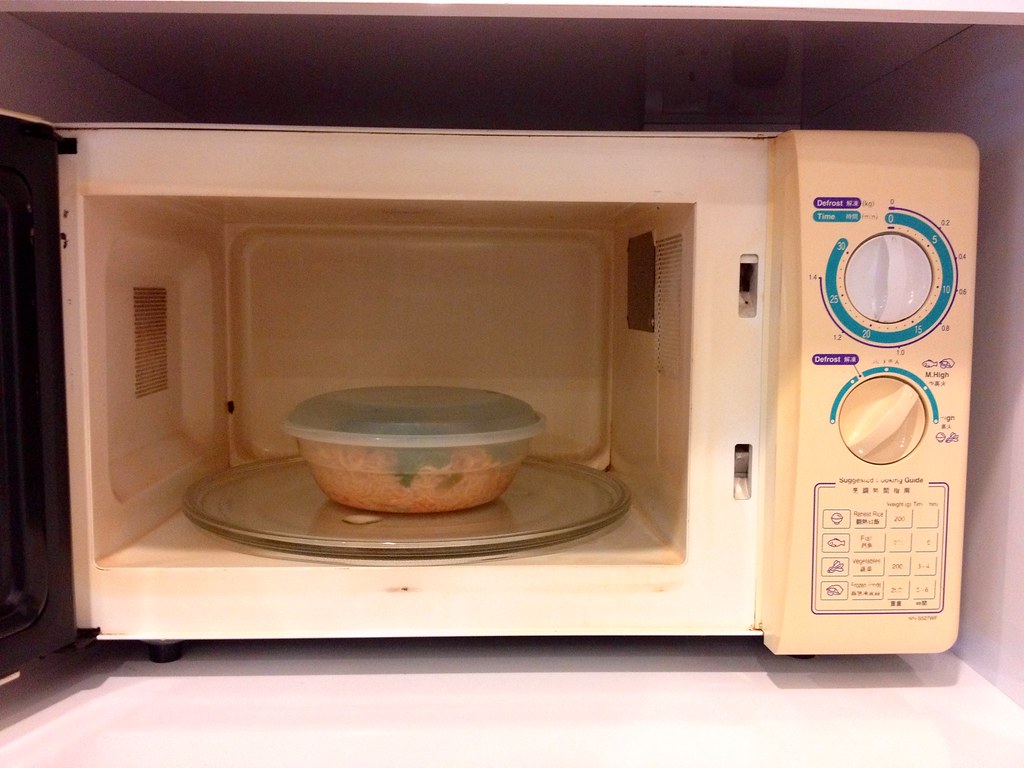
When It’s Not Actually Broken
Food Density
Dense foods heat from the outside in because microwaves only penetrate about an inch deep. Your casserole’s cold center? That’s just how physics works.
Wrong Container
Thick plastic or non-microwave-safe dishes block energy instead of letting it through. The container itself might be stealing heat from your food.
Overloading the Cavity
Pile too much in there and you’re blocking the waves from reaching everything. Simple as that.
Skipping the Stir
Microwaves heat edges first. If you’re not stopping halfway to stir, you’re leaving cold spots guaranteed.
When Something’s Actually Wrong
Turntable Stopped Spinning
No rotation means only one side gets cooked. Check if the roller ring is jammed with old food or if the motor underneath died.
Weak Magnetron
A failing magnetron delivers inconsistent power. Longer heating times and random cold spots mean it’s time for a technician to replace it.
Damaged Waveguide Cover
That small panel inside directs microwave energy. When it’s dirty or cracked, your food heats like a checkerboard.
Fix It Yourself First
- Use glass or ceramic containers that let microwaves pass through cleanly
- Stop and stir halfway to redistribute the heat
Try lower power for longer so heat has time to penetrate deep
More help: Microwave Oven Heats Unevenly – Fix Today With Checklist
Condensation Inside Microwave or Door Glass
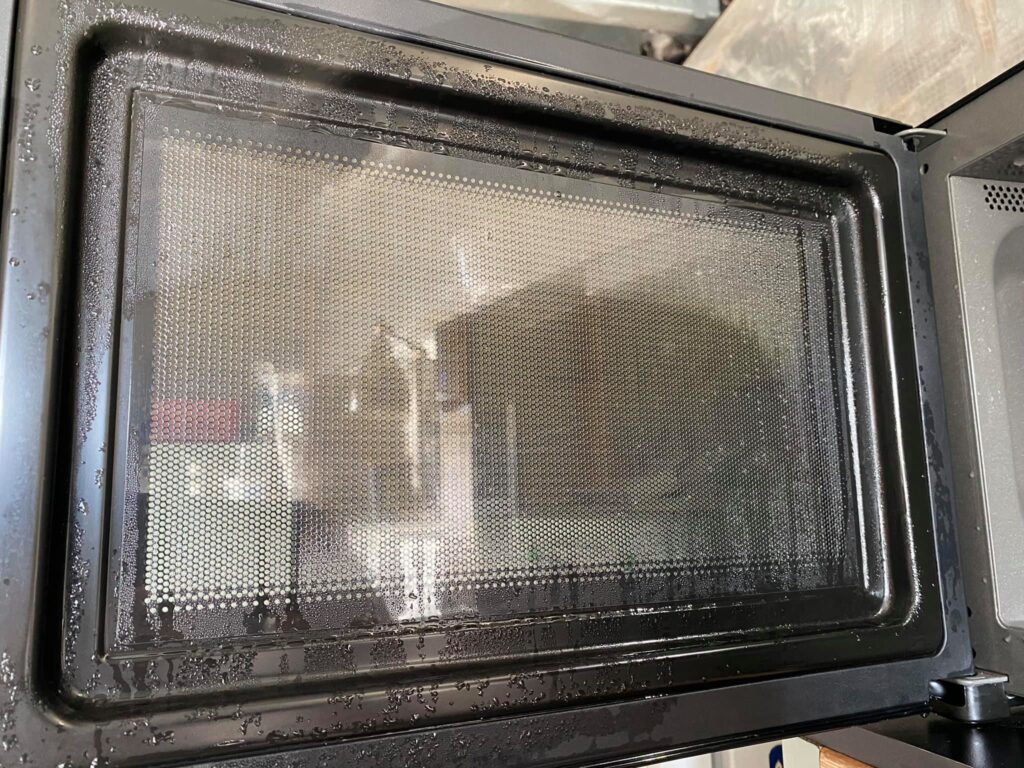
What’s Normal vs. What’s Not
Normal with Moist Food
Steam from cooking hits cooler surfaces and turns into water droplets. This happens with any moist food like soup, vegetables, or covered dishes, and it’s completely expected.
Temporary Moisture Between Glass Panes
After extended cooking, some moisture can appear between the door’s glass layers. It usually evaporates on its own once the microwave cools down, so don’t panic if you see it.
Abnormal If Pooling or Persistent
If water is actually pooling at the bottom of your microwave or stays trapped between the glass panes for days, something’s wrong. Excessive condensation that never clears up can indicate ventilation or seal issues.
Simple Habits That Help
Wipe the Cavity After Use
Grab a dry cloth and wipe down the walls and ceiling after cooking. Takes ten seconds and prevents moisture from sitting there causing rust or mold over time.
Leave the Door Ajar Post-Cooking
Let your microwave breathe. Leaving the door slightly open after use lets trapped moisture escape instead of building up inside.
Avoid Tightly Sealed Containers
Use vented covers or leave lids slightly loose so steam can escape during cooking. Trapped steam has nowhere to go except onto your microwave’s walls.
When to Actually Call for Help
Water Trapped Permanently Between Door Glasses
If moisture between the glass panes won’t evaporate even after days, the seal has failed. For safety reasons, only an authorized technician should remove or repair the door, so book a service call.
More help: Microwave Oven Condensation Problem
Final Quick Checklist: Should You Repair or Replace?
Let’s be honest, this is the question that’s been on your mind this whole time. You’ve diagnosed the problem, maybe even tried a few fixes, and now you’re standing in your kitchen wondering if throwing money at repairs is actually worth it.
When Repair Makes Sense
Microwave Under 5 Years with a Heating Issue
If your microwave is relatively young and just stopped heating, repair usually makes sense. Most heating problems come from parts like the diode or door switches that are reasonably priced to fix, and you’ll get several more years out of the unit.
Magnetron Plus Control Board Failure Needs Math
Here’s where it gets tricky. When both your magnetron and control board fail, you’re looking at the two most expensive repairs possible. Pull up quotes for both parts plus labor, then compare that to the cost of a decent new microwave. If repairs exceed 50% of replacement cost, you know what to do.
Repeated Safety Shutdowns Mean It’s Time
If your microwave keeps shutting down after a few seconds or trips your breaker constantly, something fundamental is wrong. These safety shutdowns often point to multiple failing components, and chasing them all down gets expensive fast. At that point, replacement is the smarter call.
The Real Decision
It’s not just about the numbers. Factor in how old your microwave is, whether you’ve already paid for one repair, and honestly, how much you trust it anymore. Sometimes peace of mind is worth more than saving a few dollars on repairs.
Wrapping it up
Most microwave problems aren’t as scary as they seem. A lot of issues have straightforward fixes you can handle yourself. That said, heating failures, burning smells, and door malfunctions aren’t things to shrug off. They’re safety concerns.
Keep your microwave clean and catch problems early. It’s the difference between a quick fix and a costly replacement. If your microwave still isn’t working after these checks, professional inspection is the safest option.