Microwave Oven Heats Unevenly – Fix Today With Checklist
Food Hot In Some Spots And Cold In Others? Discover Why Your Microwave Heats Unevenly And How To Fix It Safely And Fast.
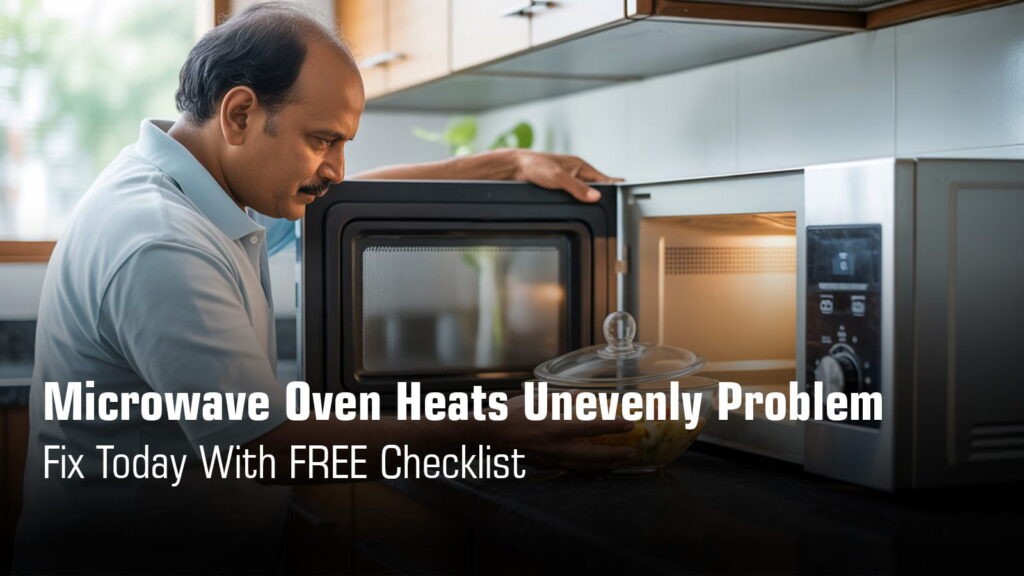
Ever pulled out a plate from the microwave only to find scorching hot edges and an icy cold center? You’re not alone. Uneven heating is one of the most common microwave complaints, and here’s the thing: it’s not always a sign that your appliance is broken.
Sometimes it’s about how we’re using it, the containers we choose, or a small component that needs attention. The good news is that many causes are fixable right at home.
This guide will help you identify what’s behind your microwave’s uneven heating, walk you through safe fixes you can try yourself, and show you when it’s time to call in a technician.
Quick Checklist to Fix Microwave Oven Heats Unevenly Problem
Book Emergency Microwave Repair Today in
Kolkata & Nearby Areas
₹0 Advance Charges
How Microwave Heating Works?
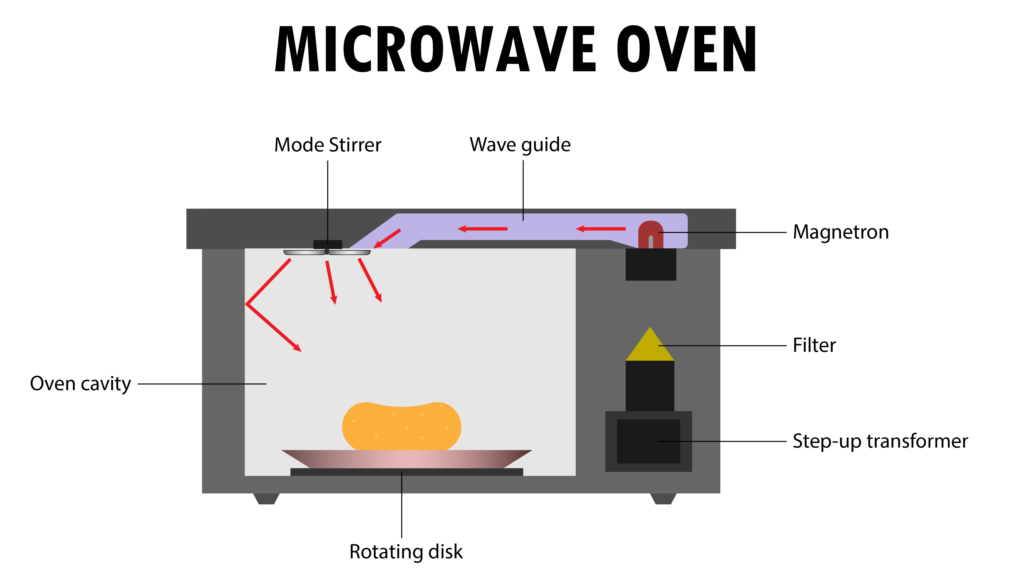
Your microwave works by creating energy waves that target water molecules in your food. When these waves hit the food, the water molecules start vibrating millions of times per second. This friction creates heat, warming your meal from the outside in.
Here’s something most people don’t realize: microwave energy only penetrates about 1 inch (2-3 cm) into dense food. That’s why thick casseroles or large pieces of meat often have hot edges but cold centers. The outer layer heats up directly from the microwaves, and then that heat slowly travels inward through conduction.
Why hot spots and cold spots happen:
Without movement or redistribution, microwave energy naturally creates uneven patterns inside the oven cavity. Think of it like sunlight coming through a window. Some areas get more exposure than others.
Two key helpers for even heating:
Turntable:
The rotating glass plate ensures all sides of your food get equal exposure to the microwave energy. If it’s not spinning, one side stays cold while the other overheats.
Mode stirrer / Wave distributor:
Some higher-end models have a spinning fan or stirrer that spreads the microwaves more evenly throughout the cavity. When this component wears out or stops working, hot and cold zones become more noticeable.
Don’t risk further damage. Concord Services offers quick, dependable microwave repair in Kolkata to bring your appliance back to life.
Most Common Reasons of Uneven Heating
Food Placement & Overcrowding
When you pile food or stack items too close together, you’re blocking microwave energy from reaching all surfaces evenly. Large dishes placed off-center on the turntable get uneven exposure, with one side overheating while the other stays cold. This is especially common when reheating large portions of rice, curries, or leftovers in deep containers.
Quick fix:
Arrange food in a ring pattern on your plate with the center empty, place thicker portions toward the outside, and always leave space between items so microwaves can circulate freely.
Not Stirring or Rotating Food
Liquids like gravies, curries, casseroles, and rice heat from the edges inward. Without stirring, the outer layer gets scorching hot while the center remains lukewarm or cold. This creates those frustrating cold pockets that you discover only after the first bite.
Quick fix:
Pause your microwave halfway through cooking, open the door, and stir thoroughly. For items that can’t be stirred (like lasagna), manually rotate the dish 180 degrees to expose all sides evenly.
👉 Related: Microwave Oven Door Not Opening or Closing Problem
Wrong Power Level Selection
Running your microwave on high power cooks the outside too fast, leaving the inside undercooked. Many people also forget to switch off defrost mode, which delivers inconsistent power. High power is great for liquids but terrible for dense foods that need time for heat to penetrate.
Quick fix:
Use medium power (50-70%) for reheating thick foods like meat, casseroles, or rice. Lower power for a longer time gives heat a chance to reach the center without burning the edges. Reduce time or power with delicate foods.
Frozen or Partially Defrosted Food
Ice blocks microwave penetration completely. When you put frozen or partially defrosted food straight into the microwave, the icy portions stay cold while thawed areas overheat. This is why defrosted food often doesn’t heat properly in the center even after long cooking times.
Quick fix:
Always defrost food completely before reheating or cooking. Use the defrost setting and check that foods are between 1-4°C before heating. If edges get too warm during defrosting, shield corners with foil and allow standing time for heat to distribute through the center.
Cookware & Utensils Causing Uneven Heating
Non-Microwave-Safe Containers
Thick plastic, dark glass, and plates with metal trim don’t play well with microwaves. They absorb energy meant for your food or cause sparking. Here’s a quick test: place the dish next to a cup of water and microwave for 1 minute on high.
Water hot, dish cool? You’re good. Dish warm, water cold? Don’t use it.
👉 Read more about Microwave oven safe utensils & cookwares on our blog
Shape & Thickness of Containers
Square containers overheat in the corners, and thick bowls insulate food instead of letting microwaves through. Your best bet? Round, shallow, heat-resistant glass containers like Pyrex.
They let microwaves reach food evenly from all sides, giving you consistent heating without hot edges and cold centers.
Turntable & Rotation Problems
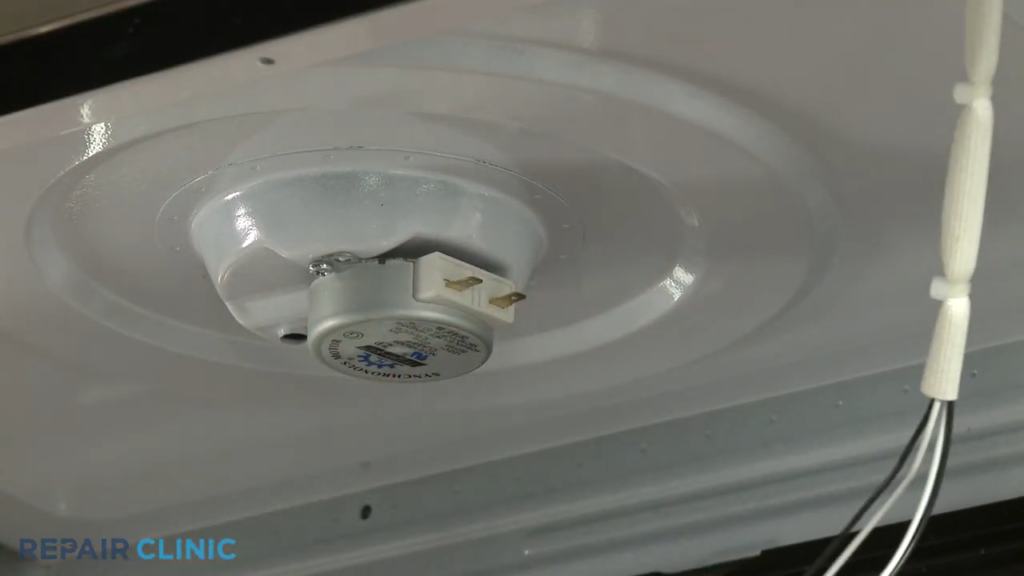
Turntable Not Spinning Properly
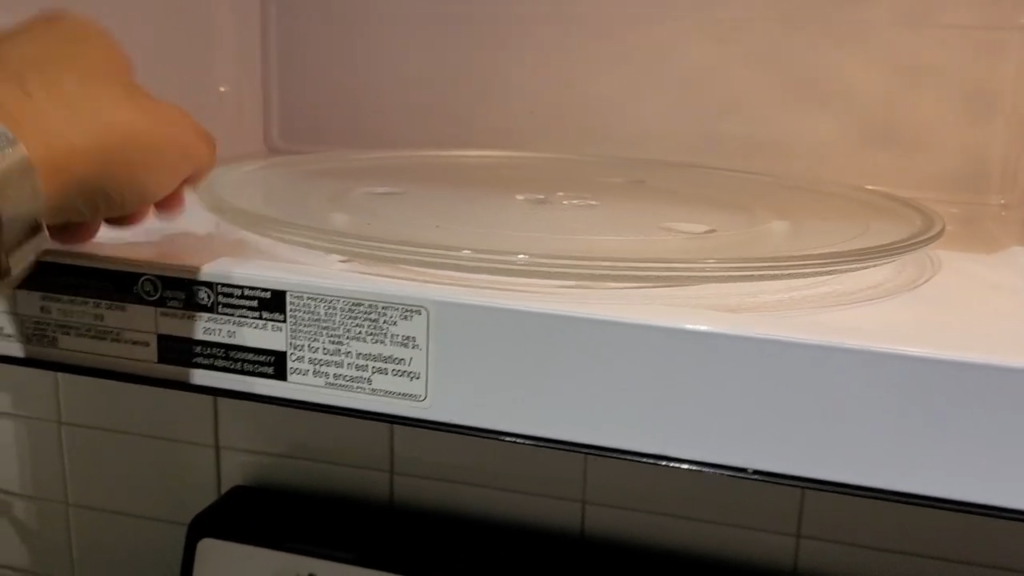
When one side of your food comes out piping hot and the other stays cold, your turntable isn’t doing its job. Common culprits include a misaligned roller ring that’s knocked out of place, food debris or grease blocking smooth rotation, or a worn-out turntable motor that’s given up after years of use.
What Users Can Safely Check
Simple DIY checks:
When Replacement Is Required
If your turntable motor doesn’t rotate even when the microwave is empty and clean, it’s time to call a technician. Listen for grinding sounds or complete silence when it should be turning. Motor replacement requires accessing the bottom panel and working with electrical connections, which is best left to professionals for safety.
👉 Related: Microwave Plate Not Spinning – Causes & Easy Fixes
Waveguide Cover Issues
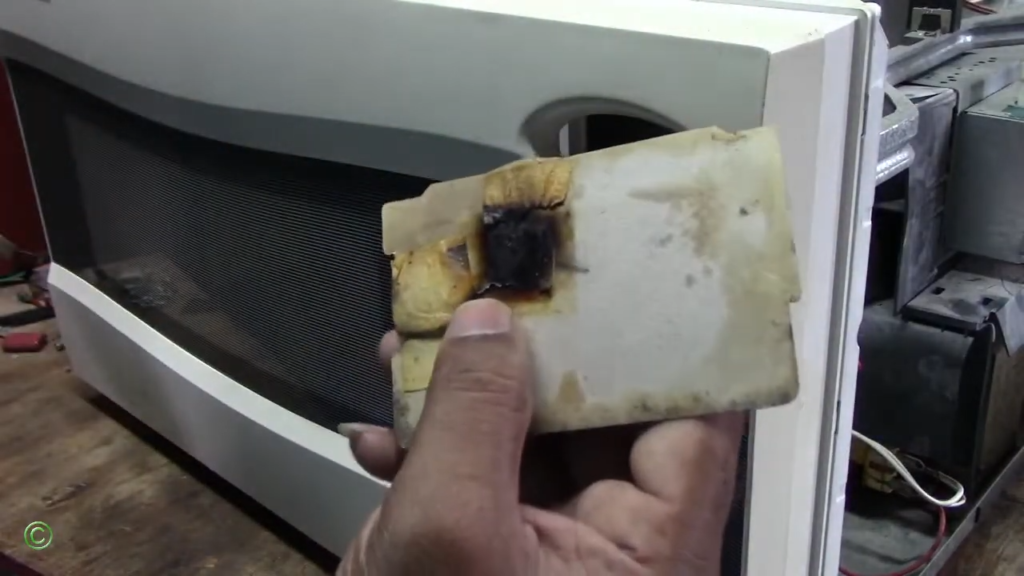
What Is a Waveguide Cover (Mica Sheet)?
The waveguide cover is a small rectangular panel, usually made of mica, attached to your microwave’s inner wall. It protects the opening where microwave energy enters from the magnetron into the cooking cavity. Think of it as a protective shield that keeps your microwave’s engine safe while directing energy exactly where it needs to go.
How It Causes Uneven Heating
When food splashes, oil, and grease accumulate on the waveguide cover, they burn and turn into carbon over time. This carbonized residue conducts electricity instead of letting microwaves pass through cleanly. The result?
Misdirected energy that creates hot and cold zones in your food. You might also notice blackened spots, cracks, or visible burn marks on the cover.
Safe DIY Cleaning
Simple cleaning steps:
Find our detailed guide on How to clean microwave oven at home?
When Replacement Is Mandatory
If you spot visible burn holes, deep cracks, or notice sparking and arcing during operation, stop using your microwave immediately. A damaged waveguide cover can allow debris to reach internal electronics and poses a fire risk.
At this point, replacement is not optional. Call a technician to install a new cover safely.
👉 Related: Microwave Sparking Problem – Causes & Fixes
Fan, Mode Stirrer & Airflow Problems
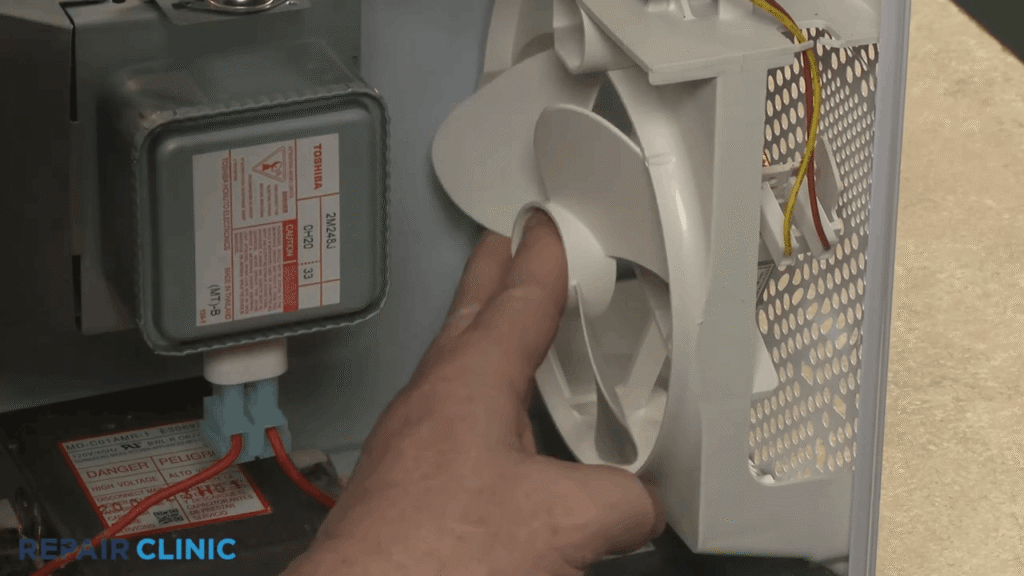
Cooling Fan Not Working
The cooling fan keeps your magnetron from overheating during operation. When it fails, the magnetron can’t work at full efficiency, leading to weak or inconsistent heating. You might notice your food takes longer to warm up or heats unevenly even when everything else seems fine.
Mode Stirrer (In Non-Turntable Models)
Some higher-end microwaves use a mode stirrer instead of a turntable to distribute microwave energy evenly throughout the cavity. This rotating blade or fan spreads the waves so all parts of your food get equal exposure.
When the stirrer gets stuck, worn, or stops working, you end up with the same problem as a broken turntable: frustrating hot and cold zones in your meals.
Service-Only Repairs
Fan and stirrer motor repairs involve working with electrical components and require disassembling your microwave’s internal housing. We strongly advise against DIY attempts here. Microwaves contain high-voltage capacitors that can retain dangerous electrical charges even when unplugged, posing serious injury or death risks.
This is strictly a job for trained technicians who know how to safely discharge capacitors and handle internal components.
👉 Related: Microwave Fan Not Working – Causes & Fixes
👉 Related: Microwave Oven Fuse Problem
Weak or Failing Magnetron
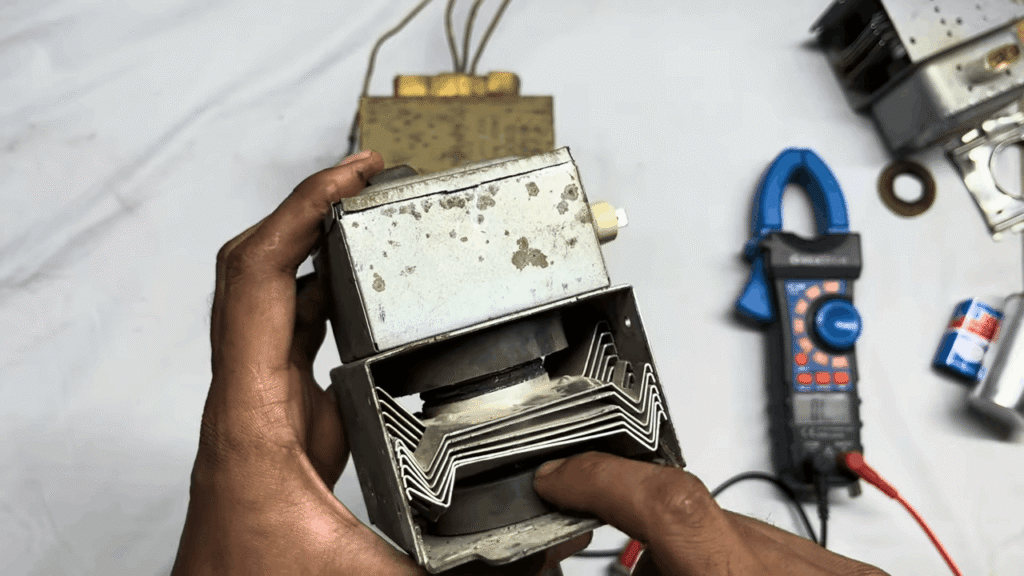
Signs of a Weak Magnetron
Your microwave runs, hums, and lights up normally, but your food comes out barely warm even after doubling the usual time. No matter where you place the dish or how you arrange it, heating stays frustratingly inconsistent.
This gradual performance drop, where everything seems fine on the outside but nothing heats properly, is the classic signature of a failing magnetron that can no longer generate sufficient microwave energy.
Why This Cannot Be DIY?
The magnetron operates at several thousand volts and works alongside a high-voltage capacitor that retains lethal electrical charges for weeks or even months after you unplug the microwave. Even experienced electricians without specific microwave training can suffer severe injury or death attempting magnetron work.
This isn’t like changing a lightbulb or replacing a turntable; it requires specialized knowledge, insulated tools, and proper capacitor discharge procedures that only trained appliance technicians possess.
Repair vs Replacement Guidance
Magnetron replacement typically costs between ₹1000 and ₹2,900 (or equivalent in your region) depending on your microwave brand, with labor adding to the total. Here’s the honest assessment: if your microwave is newer than 5 years and otherwise working well, magnetron replacement makes sense.
But if your unit is 7-10 years old or has had multiple repairs, investing that money in a new microwave with a warranty is usually smarter than pouring more cash into an aging appliance.
👉 Related: Microwave Not Heating Food Properly – Causes & Solutions
What You Should Never Do With a Microwave Oven?
Do not run microwave empty
Running your microwave with nothing inside can damage the magnetron permanently because the microwave energy has nowhere to go and bounces back into the component, overheating it.
Do not remove internal covers
Never take off protective covers inside your microwave cavity, especially the waveguide cover. These shields protect critical components from food debris and moisture, and operating without them risks serious damage and safety hazards.
Do not operate with damaged waveguide cover
If you see cracks, burn holes, or blackened spots on your waveguide cover, stop using your microwave immediately. A damaged cover allows microwave energy to misdirect, causing sparking, arcing, and potential fire risks while also letting debris reach internal electronics.
Do not ignore burning smell or sparking
The moment you smell something burning or see sparks inside, stop the microwave, unplug it, and don’t use it again until you’ve identified and fixed the problem. Continuing to operate a sparking or burning microwave can damage the magnetron, transformer, and other high-voltage components beyond repair, or worse, start a fire.
👉 Related: Microwave Burning Smell While Running
Conclusion
The fix is usually simpler than you think. Use the right containers, stir your food halfway through, keep that waveguide cover clean, and don’t overcrowd your plate.
If your microwave’s performance starts slipping, a quick service check can catch small issues before they become expensive repairs. Most uneven heating problems are minor, but ignoring them can lead to bigger microwave failures.