Microwave Not Heating Foods Problem – Fix It Now [Checklist]
Microwave Runs But Food Stays Cold? Learn The Most Common Reasons Your Microwave Is Not Heating Foods And How To Fix Them Quickly And Safely.
You press start. The light comes on, the fan hums, the turntable spins. Everything looks normal. But when you open the door? Your food is still cold.
Let’s be honest, a microwave that won’t heat is frustrating. The good news? Many causes are simple. Sometimes it’s just a setting you didn’t notice. Other times, it’s a small fix you can handle yourself.
This guide walks you through fast checks you can do in 2 to 5 minutes, helps you spot the difference between easy fixes and real technical problems, and tells you exactly when to call a professional.
Quick Checklist to Fix Microwave Not Heating Foods Problem
Not Confident Fixing Your Microwave Oven Yourself?
Contact Our Experts Today
₹0 Advance Charges
Why Your Microwave Is Not Heating?
| What’s Happening | Most Likely Cause | What You Can Do |
|---|---|---|
| Microwave runs, display works, but no heat at all | Child Lock or Demo Mode is turned on (display may show “LOC” or “L”) | Check your manual and disable the lock. Demo mode makes everything look normal but prevents actual heating. |
| Everything runs, plate spins, but food stays cold | Power level accidentally set to 10-30% (often after using defrost) | Reset to 100% power and test with a mug of water for 60-90 seconds. |
| Microwave starts but won’t heat | One or more door switches have failed (you may have 3-4 switches inside) | This needs a technician. Door switches control the safety system and require panel removal to test. |
| Runs perfectly, turntable works, absolutely no warmth | High-voltage diode or magnetron failure (the parts that actually create heat) | Call a professional immediately. These components operate at thousands of volts and can be lethal even when unplugged. |
60-Second Heating Test
Here’s the fastest way to know if your microwave is actually broken or just needs a settings adjustment:
- Fill a microwave-safe mug with 1 cup of cold water
- Set power to 100% (full power)
- Heat for 60 to 90 seconds
What the result tells you:
Water is hot? Good news. Your microwave works fine. The problem is a setting like low power level, child lock, or demo mode.
Water is still cold? This points to an internal part failure. The heating components (magnetron, diode, or transformer) likely need professional repair.
Still facing the problem? Trust Concord Services for quick and professional microwave oven repair in Kolkata, ensuring your appliance works safely and properly again.
Common User-Level Reasons
Incorrect Power Level Selected
If you just used defrost or a softening function, here’s what probably happened. Your microwave is stuck on low power, usually around 10 to 30 percent. At that level, food barely warms up even after minutes of running.
The microwave thinks it’s doing its job, but you’re left with cold coffee. Power percentage directly controls how much energy reaches your food. Lower settings pulse the magnetron on and off instead of running continuously.
Always run the 60-second water test at 100% power to confirm your microwave actually works before assuming it’s broken.
Child Lock / Control Lock Enabled
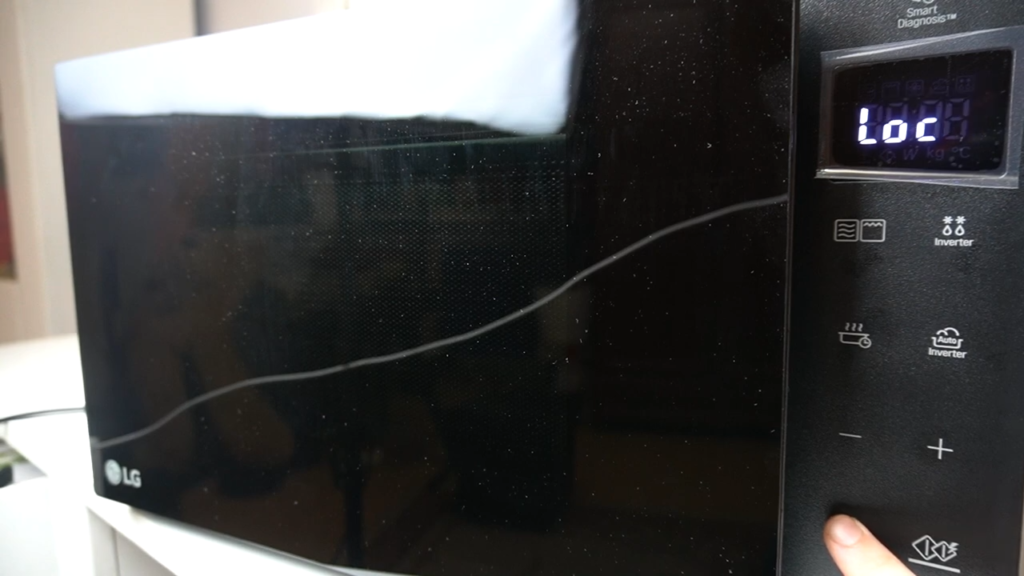
The buttons light up. The display responds. The turntable spins. But your food stays ice cold. This is child lock doing exactly what it’s designed to do: prevent heating while keeping everything else functional.
Look for “LOC,” “L,” or a small padlock icon on your display. Most brands unlock the same way: press and hold Stop, Cancel, or Clear for about 3 seconds.
If that doesn’t work, unplug your microwave for 10 minutes to reset it completely.
Read more about fixing this: Microwave Child Lock Not Turning Off
Demo / Showroom Mode Enabled
You’ve probably seen this in appliance stores. Everything looks perfect, the screen glows, buttons beep, but nothing actually cooks. That’s demo mode, and sometimes new microwaves arrive with it still on. Other times a power surge or accidental button combo activates it. Check your manual for the specific button sequence, often hidden in settings menus labeled “OP2” or similar codes. When all else fails, unplug for 10 minutes and plug back in to force a full reset.
Delay Start / Timer Mode Active
You press start. Nothing happens. You press it again. Still nothing. Before you panic, check if a timer is running. When delay start is active, your microwave accepts all your commands but waits to begin heating until the countdown finishes.
The screen might show a clock or countdown instead of cooking time. Cancel all active timers by pressing Stop or Cancel twice, then start a fresh cooking cycle from scratch.
Power Supply & Reset Checks
Inadequate Power Supply
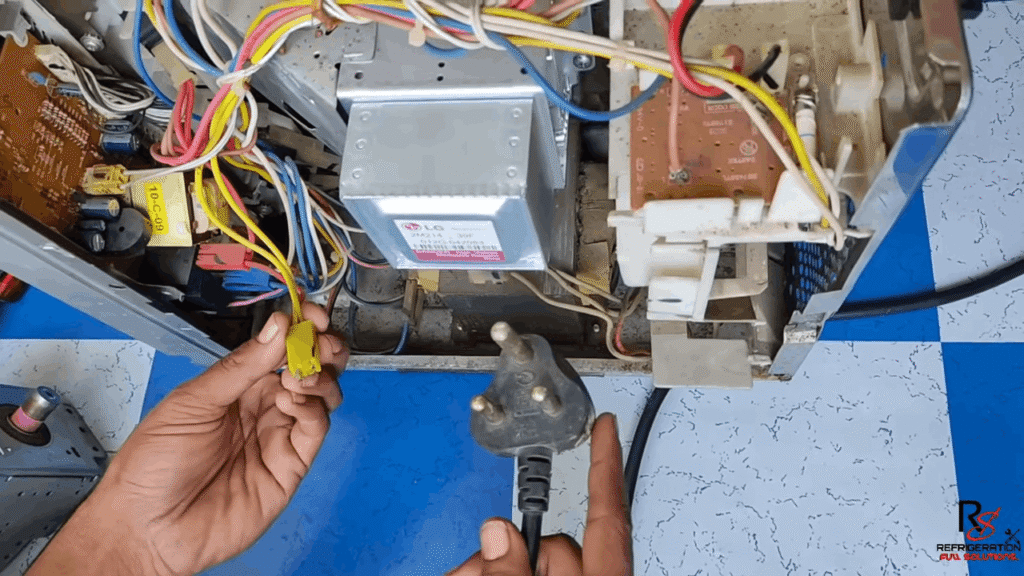
Your microwave might be getting weak or unstable electricity. Common culprits include a loose plug that’s barely making contact, a damaged wall socket with burnt or melted areas, or running the microwave through an extension cord that can’t handle the load.
Microwaves draw serious power and need a dedicated wall outlet, not shared with other appliances. Here’s a fast test: unplug your microwave, plug in another high-power device like a hairdryer into the same outlet, and see if it works properly.
If the outlet fails this test, you’ve found your problem before spending money on repairs.
Control Board Glitch (Soft Reset)
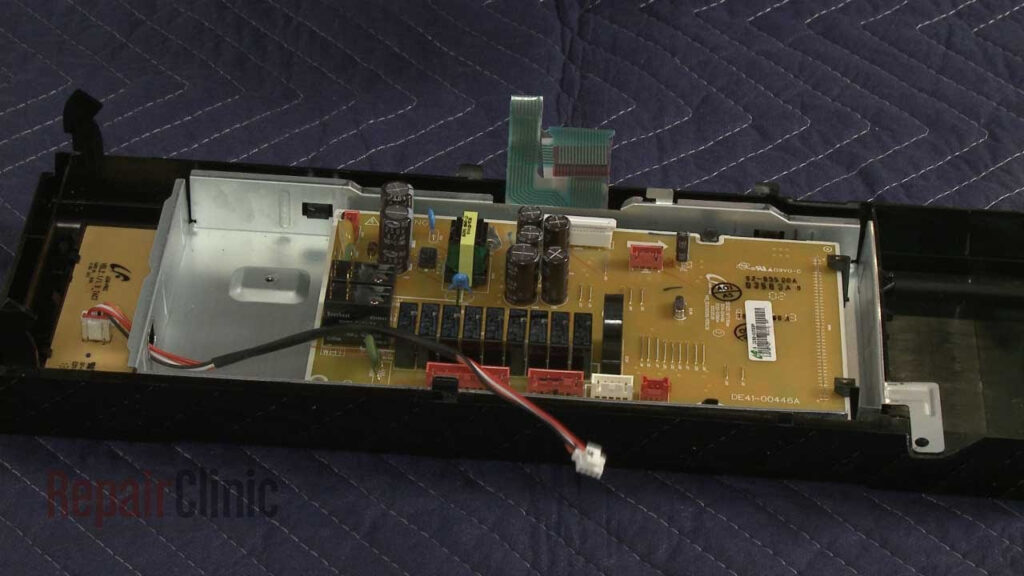
Sometimes the issue isn’t hardware at all, just confused electronics. Modern microwaves have control boards that can freeze or glitch, similar to how your phone occasionally needs a restart.
The fix is surprisingly simple: unplug your microwave completely, wait a full 10 minutes to let all residual power drain, then plug it back in.
This forces the control board to reboot and clear any temporary faults. Many “broken” microwaves start heating perfectly again after this reset, especially if the problem appeared suddenly without warning.
Door & Safety Interlock Problems
Faulty Door Switches
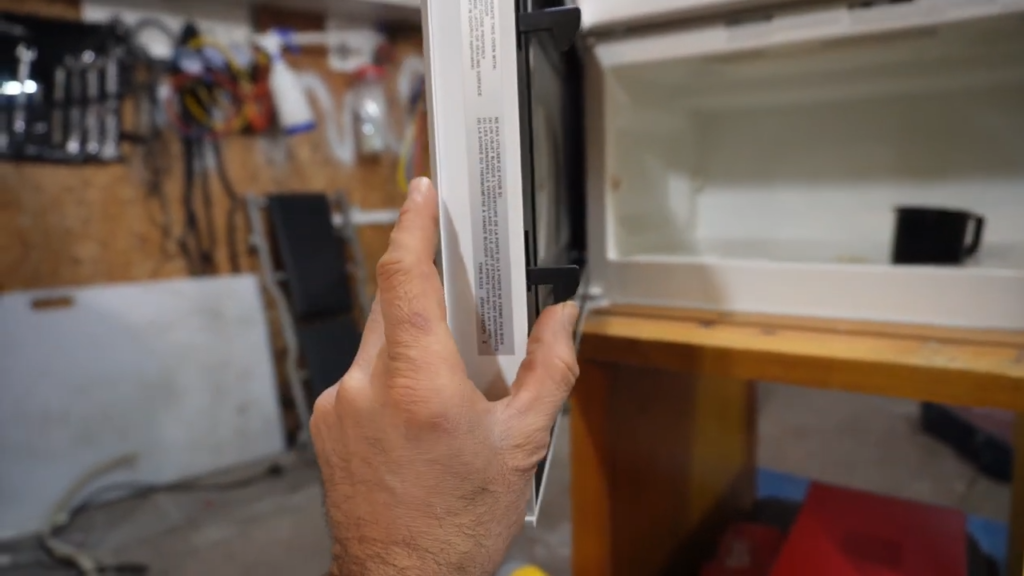
Your microwave has 3 to 4 interlock switches tucked behind the control panel. They work like security guards, only allowing heating when the door is safely closed.
If just one switch fails, the whole heating system shuts down. You’ll see strange signs: the light won’t turn off, or heating works today but not tomorrow.
Testing these switches means taking apart the control panel and working with live wiring.
⚠️ Safety Note: This isn’t a YouTube DIY moment. These switches sit near electrical connections that need proper handling. Call a technician unless you’re experienced with appliance repairs. Read our guide on Microwave Oven Safety Tips for Home Use – Do’s, Don’ts
Door Latch / Alignment Issues
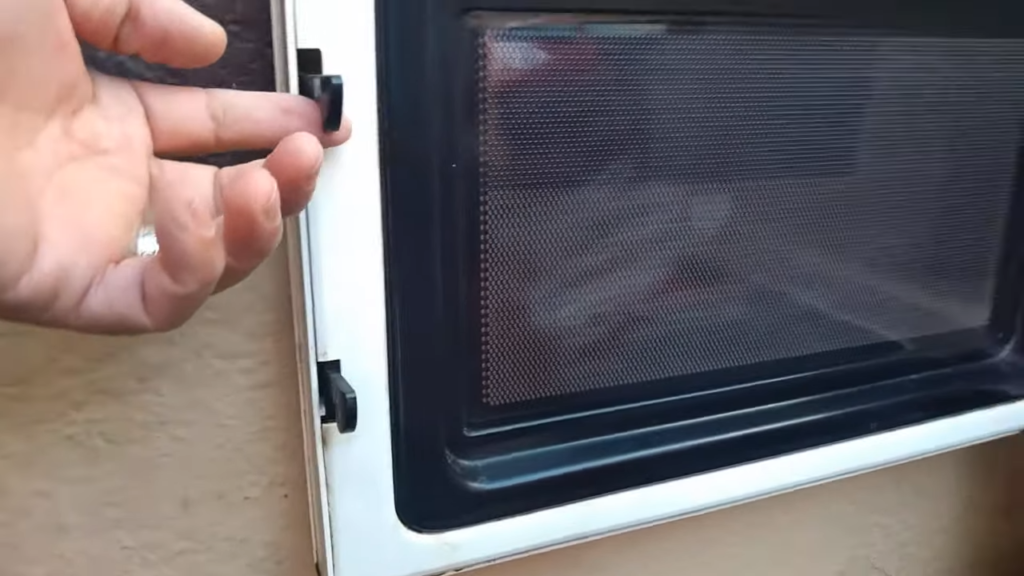
Here’s something you can actually check yourself. Look at where your door meets the frame. See any grease or food buildup on those metal hooks? Are they slightly bent? When you close the door, listen for that solid “click.”
If the hooks are dirty or out of alignment, the safety switches never engage properly. The magnetron sits there waiting for a signal that never comes.
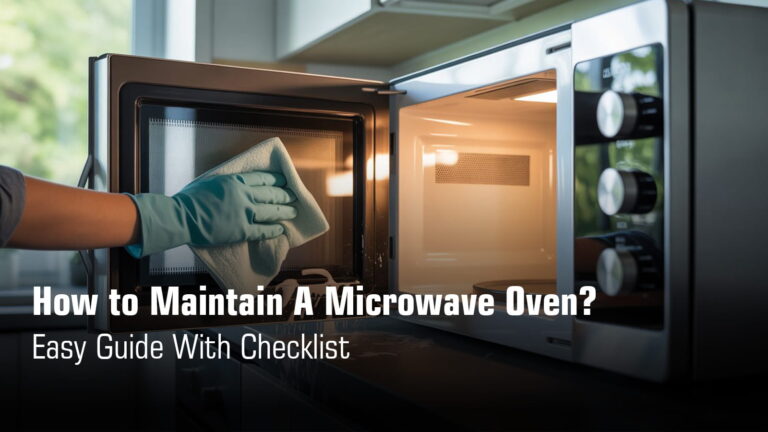
Clean the latch area with a damp cloth and make sure the door clicks firmly shut. This five-minute fix solves the problem more often than you’d think.
Need help with a stubborn door? Check out: Microwave Door Not Opening or Closing Problem.
Internal Heating System Failures
⚠️ CRITICAL SAFETY WARNING
Microwave high-voltage parts can kill you, even when unplugged. The capacitor holds thousands of volts for hours or even days after you disconnect power. Touching the wrong component can cause instant death or severe injury. Never open the high-voltage section yourself. This work requires trained technicians with specialized discharge tools and safety equipment.
Magnetron Failure (Most Serious Cause)
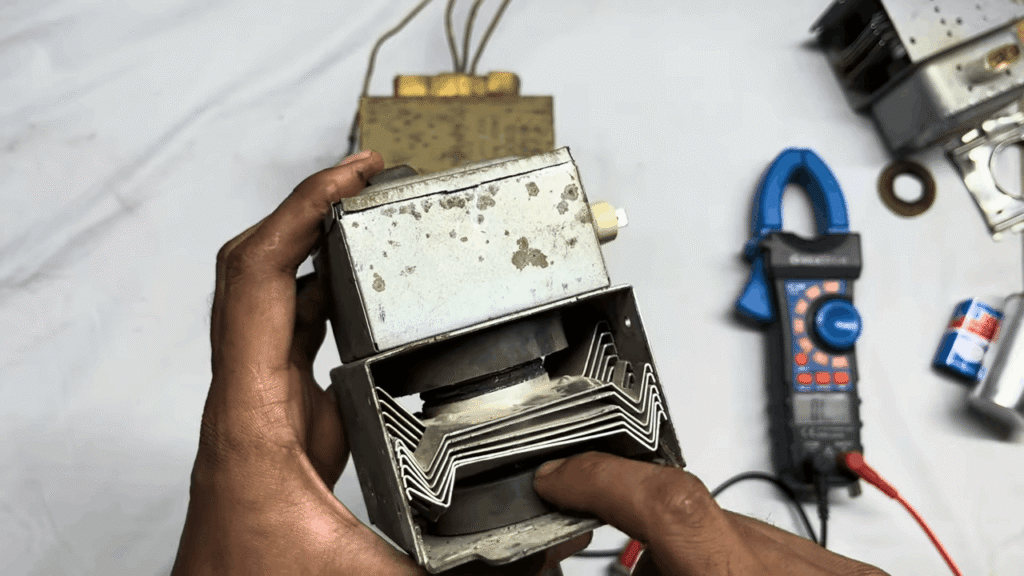
The magnetron creates the actual microwave energy that heats your food. When it dies, everything else works normally but nothing gets warm. The fan hums, the light glows, the plate spins, but your soup stays cold.
A failing magnetron sometimes makes strange buzzing sounds instead of running quietly. Here’s the tough part: magnetrons cannot be repaired, only replaced.
Replacement costs often make buying a new microwave the smarter choice.
Read More: Microwave Plate Not Spinning – Causes & Easy Fixes
High-Voltage Diode Failure
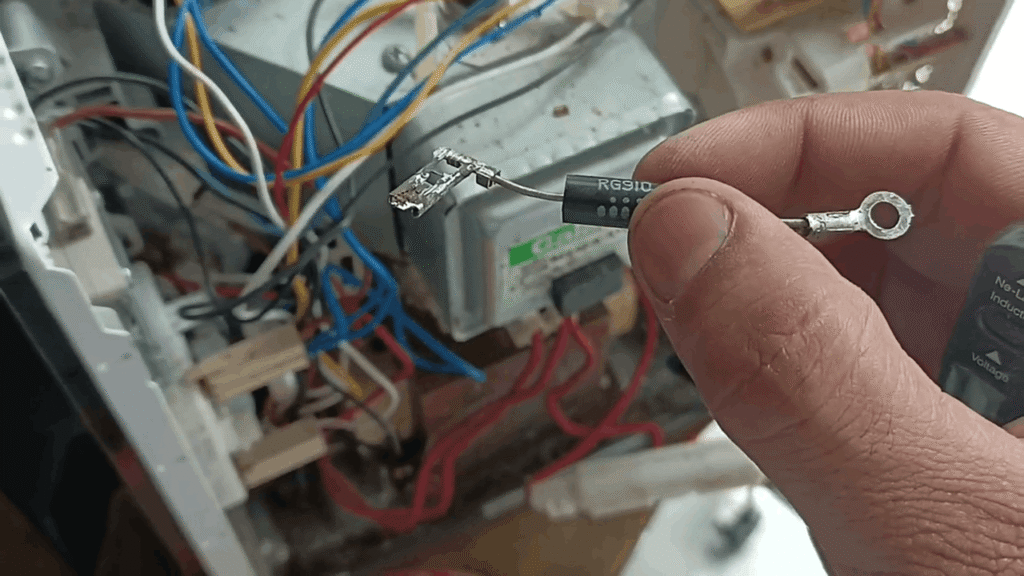
The diode converts regular household electricity into the special high-voltage power the magnetron needs. It’s one of the most common failure points, which is actually better news than it sounds.
Diode replacement costs less than most other internal repairs. When it fails, testing shows unusual electrical readings.
The dangerous part? The capacitor must be safely discharged first, or touching anything can be lethal. This is strictly professional work.
High-Voltage Capacitor Issues
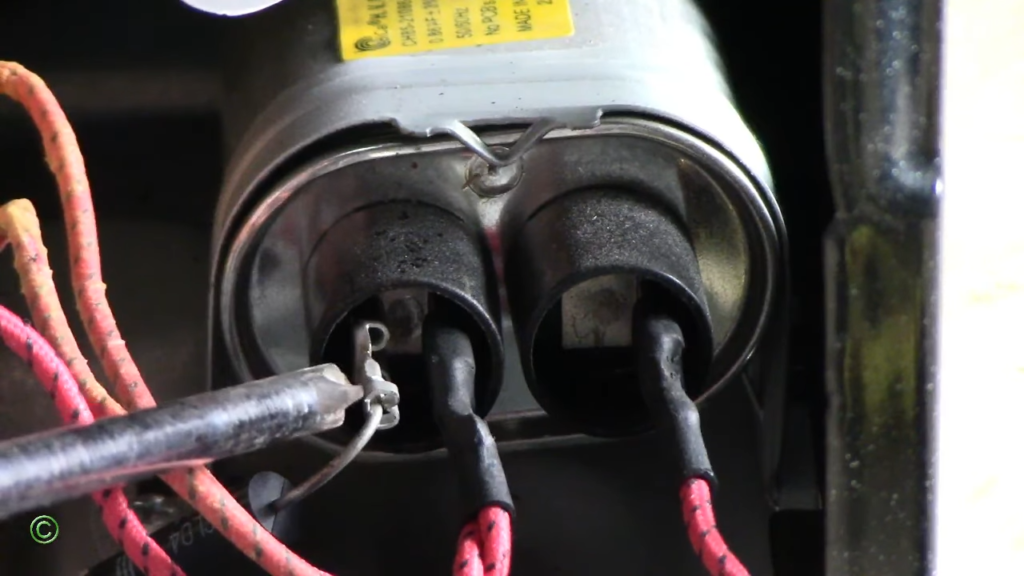
The capacitor boosts voltage to power the magnetron. When it fails, heating stops completely and instantly. No warmth at all. Testing requires special equipment, not just a basic multimeter.
The real danger is this: capacitors store deadly electrical charge long after unplugging. That stored energy waits silently to discharge through anyone who touches the terminals.
Professionals use insulated discharge tools for exactly this reason. Never attempt this repair yourself.
Secondary Causes That Reduce or Stop Heating
Cooling Fan Not Working
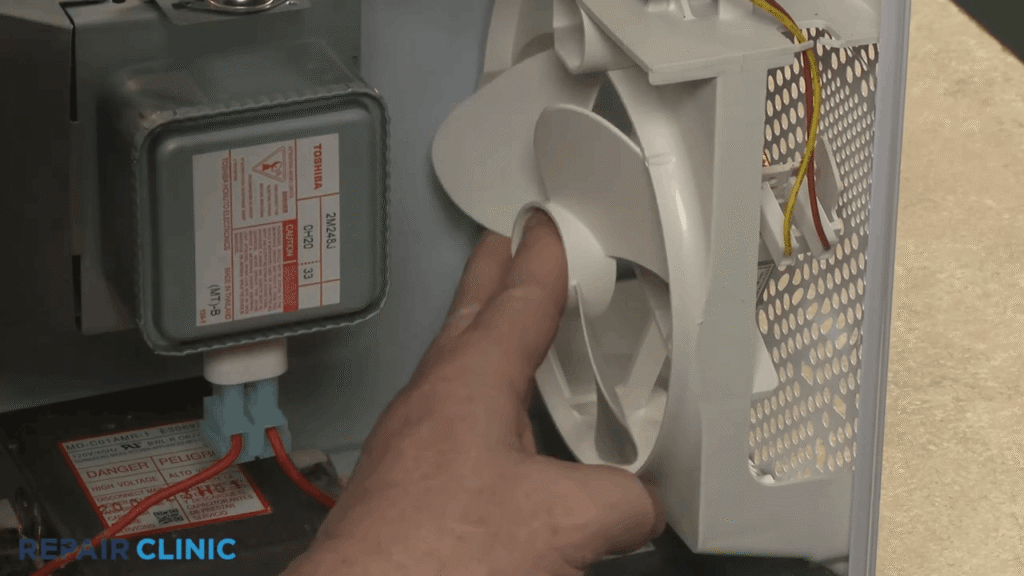
The cooling fan keeps your magnetron from overheating while it generates microwave energy. When the fan stops working, internal temperatures spike quickly.
Modern microwaves have built-in thermal protection that shuts down heating to prevent fire or permanent damage. You might notice the microwave runs for 30 seconds, then stops heating entirely even though the display still works.
The magnetron gets too hot, the safety switch trips, and heating stops until everything cools down. This cycle repeats every time you try to use it.
Need more details? Check out: Microwave Fan Not Working
Burnt or Cracked Waveguide Cover
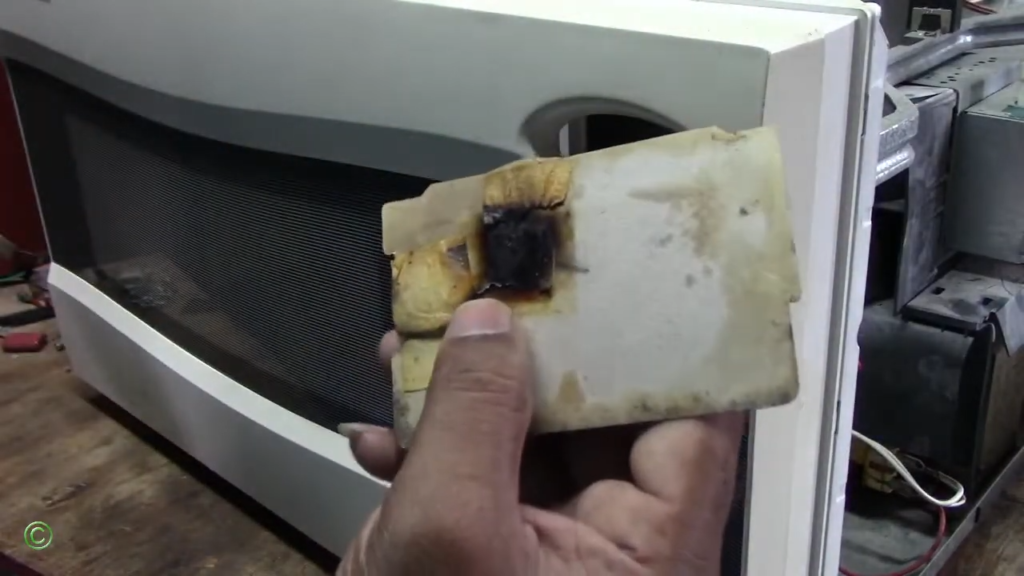
The waveguide cover is that small rectangular panel on the inside wall of your microwave cavity. It protects the opening where microwave energy enters from the magnetron.
When food splatters or grease builds up on this panel, it burns and carbonizes over time. Carbon conducts electricity, which means microwave energy starts arcing instead of heating your food.
You’ll see sparks, hear loud popping sounds, or notice your food stays cold.
A cracked or burnt waveguide redirects energy incorrectly, and in severe cases, can damage the magnetron itself.
See related issue: Microwave Sparking Problem
Internal Fuse Issues
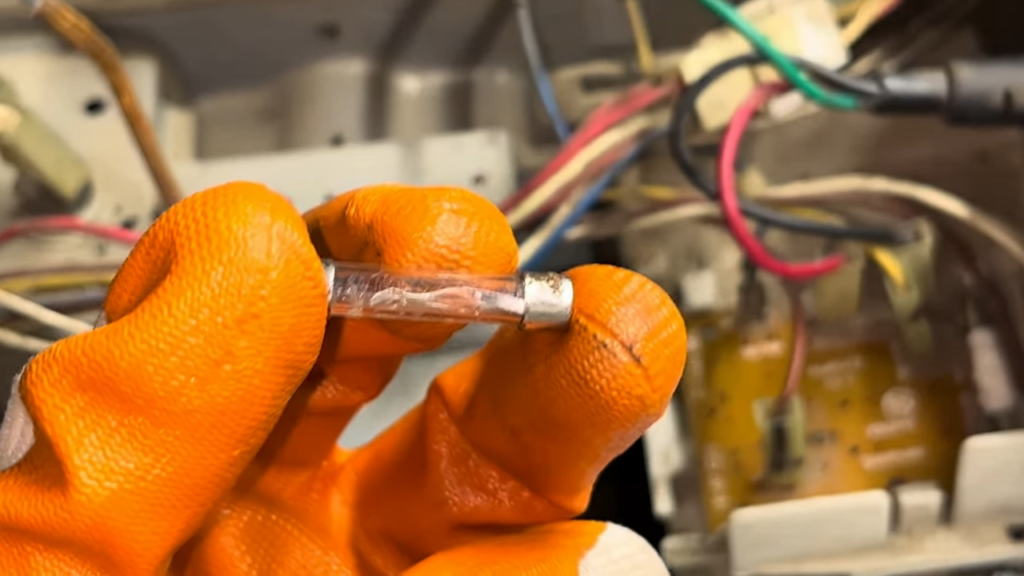
Most people think a blown fuse means the microwave is completely dead. Not always true. Some microwaves have multiple internal fuses protecting different circuits.
A blown thermal fuse might let the display and turntable work normally while completely disabling the heating system.
The microwave appears functional, the buttons respond, the light glows, but the magnetron never receives power. Testing fuses requires a multimeter and accessing internal components, which brings us back to safety concerns about high-voltage areas.
Learn more about fuse problems: Microwave Oven Fuse Problem
When NOT to Use the Microwave?
Burning Smell While Running
If your microwave smells like something’s burning even when there’s no burnt food inside, stop using it immediately. This odor usually signals overheating components like a failing magnetron, damaged transformer, or melted wiring inside the control board.
These aren’t just performance issues, they’re fire hazards waiting to happen.
Loud Humming or Buzzing with No Heat
A healthy microwave hums quietly while it works. But if yours suddenly sounds like it’s struggling, making loud buzzing, grinding, or high-pitched screaming noises while producing zero heat, that’s a failing magnetron or diode crying for help.
These components operate under extreme electrical stress, and when they fail, they can damage other expensive parts or even cause electrical arcing inside the unit.
Read More About: Microwave Making Loud Noise – Causes and Fixes
Microwave Stops After a Few Seconds
You set the timer for two minutes, press start, and three seconds later everything shuts off. This isn’t a quirky glitch, it’s often a sign of serious internal problems like faulty door switches creating intermittent connections, a tripped thermal protector responding to overheating, or a failing control board that can’t maintain operation.
Continuing to restart it over and over puts additional stress on already compromised components.
More details on this issue: Microwave Turning Off After 3 Seconds
DIY vs Technician
| What’s Wrong | Can You Fix It Yourself? | What You Should Do |
|---|---|---|
| Power level stuck on low or child lock/demo mode active | Yes, safe to try | Check your settings right now. Look for “LOC” or “L” on the display. Press and hold Stop/Cancel for 3 seconds to unlock. Test at 100% power with a cup of water for 60 seconds. If it heats, you just solved it yourself. |
| Door not clicking shut or latch area dirty | Maybe, worth trying first | Clean around the door hooks and latch with a damp cloth. Close the door firmly and listen for that satisfying click. If the hooks look bent or the door still won’t seal properly, time to call someone who can realign it safely. |
| Door switches failing (microwave runs but won’t heat) | No, needs expertise | Don’t attempt this one. You have 3 to 4 interlock switches behind the control panel that require dismantling internal components and working near electrical connections. One wrong move and you’re looking at expensive damage or a safety hazard. Let a technician handle it. |
| Magnetron, diode, capacitor, or transformer failure | Absolutely not | These high-voltage parts can kill you even when the microwave is unplugged. The capacitor stores thousands of volts for hours or days. Professional repair only. If your microwave is old, replacement might actually cost less than fixing these components. |
The key difference? Power and door issues give you a fighting chance. Everything involving the heating circuit requires someone who knows how to discharge capacitors safely and has the right testing equipment.
Wrapping it up
Most microwaves that won’t heat aren’t broken, just misconfigured. Try the quick fixes first: unlock child lock, check power levels, clean the door latch. These solve most microwave oven problems in minutes. But never touch high-voltage parts yourself. If basic checks fail, call a professional. Catching small issues early prevents expensive replacements later.