Microwave Fan Not Working? Causes, Fixes & Safety Tips
Is your microwave fan not working or overheating? Learn common causes, quick checks, safe fixes, and when to call a technician before damage occurs.
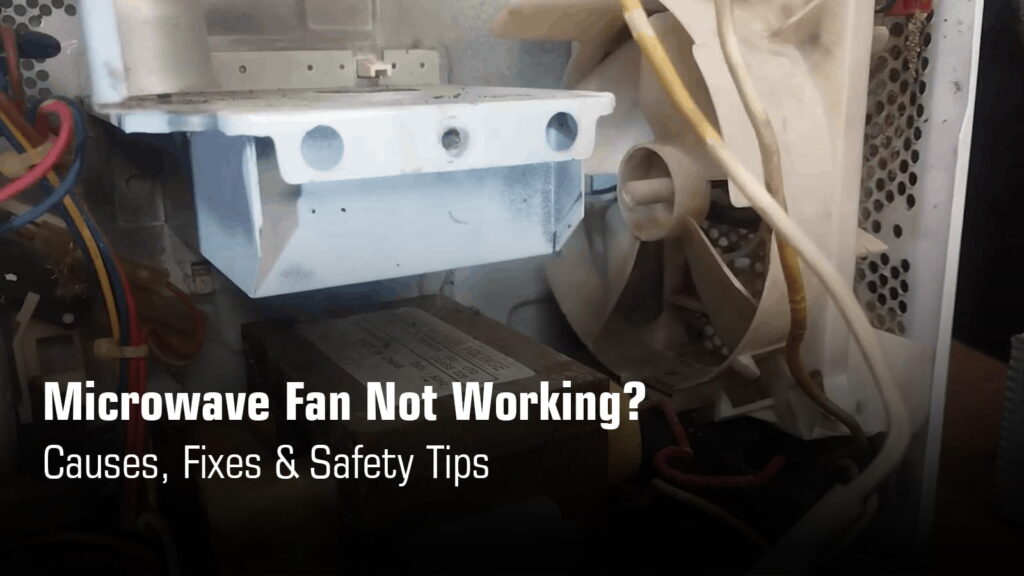
Your microwave’s cooling fan isn’t just there for show. It keeps the magnetron and control board from overheating during operation, protecting the components that actually heat your food. When this fan stops working, heat builds up fast, and that can lead to expensive damage or even complete failure of your microwave.
You might notice a burning smell or find your microwave shutting off after just a few seconds as it tries to protect itself. The good news? Many fan problems stem from simple issues like clogged filters or a stuck motor that you can often diagnose yourself.
Step By Step Checklist to Fix Microwave Fan Not Working Problem
| Symptoms | Likely Cause | What to Do? |
|---|---|---|
| Microwave heats but fan is silent | Stuck relay on control board or seized fan motor | Unplug the microwave, check if the fan blade spins freely by hand. If stuck, the motor needs replacement. If the blade moves, tap the relay 10-15 times to free it. |
| Fan runs only after cooking | Defective thermostat not triggering fan during operation | Test thermostat with multimeter for continuity. Replace if continuity is absent. This requires professional help due to high voltage risks. |
| Microwave body becomes very hot | Jammed cooling fan or clogged filters blocking airflow | Check if fan blade rotates freely. Clean or replace grease and charcoal filters. Clean fan shaft and lubricate with light oil if needed. |
| Microwave shuts down automatically | Thermoprotector tripping due to overheating or faulty control board | Check cooling fan operation and clean filters first. Test thermoprotector for continuity. If components test good, control board may need replacement. |
| Weak or no airflow from vents | Clogged grease/charcoal filters or blocked damper assembly | Clean grease filters in hot soapy water. Replace charcoal filter (cannot be cleaned). Inspect damper for warping or broken spring and replace if needed. |
Call Now for Immediate Microwave Oven Repair in Kolkata
₹0 Advance Charges
What the Microwave Fan Does?
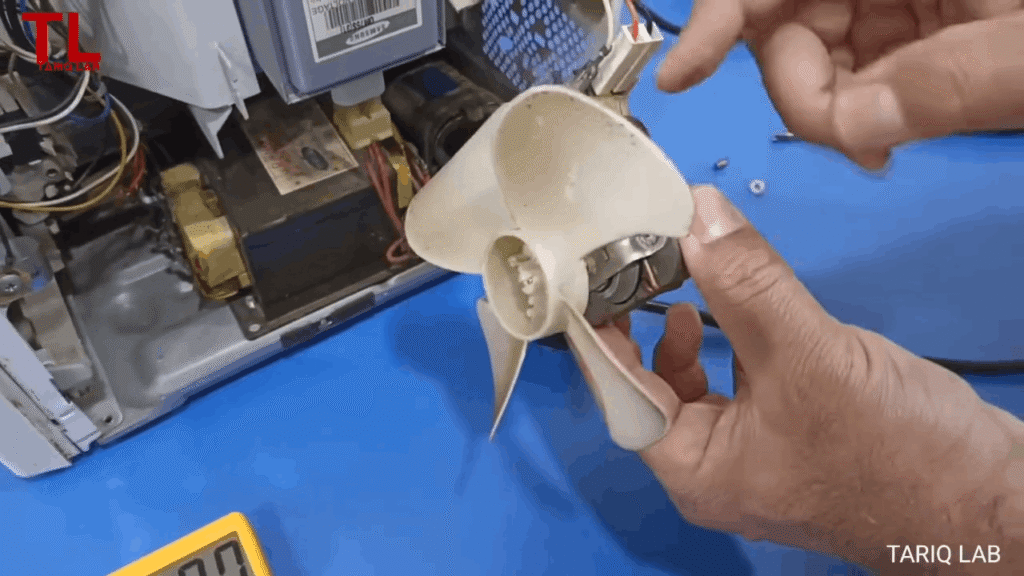
Your microwave has two types of fans serving different purposes. The internal cooling fan runs during and after cooking to prevent the magnetron and transformer from overheating. The exhaust/vent fan (found in over-the-range models) removes cooking fumes and steam from your kitchen, either venting outside or recirculating air through charcoal filters.
Both operate automatically when needed and may continue running after cooking stops to complete the cooldown cycle and protect internal components.
When Fans Normally Operate:
- During cooking cycle (both fans active)
- Post-cooking cooldown period (cooling fan continues)
- When exhaust button is pressed (over-the-range models)
Poor ventilation can lead to condensation problems, causing moisture buildup, mould growth, and potential electrical damage. Proper installation with adequate airflow is essential for optimal performance.
Common Symptoms of a Microwave Fan Not Working
No fan sound during operation:
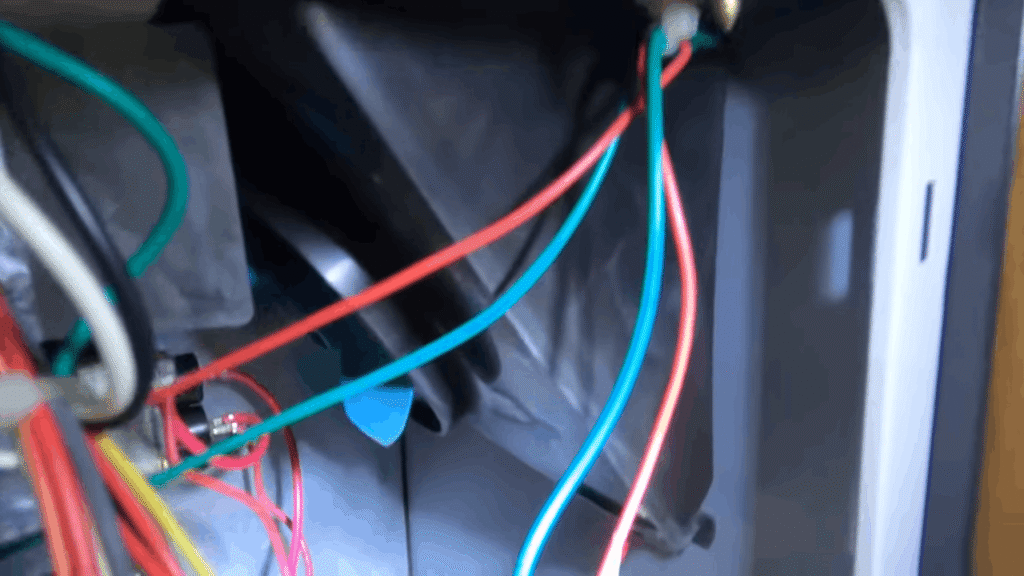
When your microwave runs silently without the usual soft humming from the cooling fan, it indicates the fan motor has seized or a stuck relay on the control board is preventing it from starting.
Excessive external heat:
A jammed or non-functioning cooling fan causes the magnetron and transformer to overheat, making the microwave’s outer body very hot to the touch and risking permanent damage to expensive internal components.
Burning or electrical smell:
A burning smell during operation often signals a worn fan bearing creating friction, overheated wire terminals, or a failing magnetron caused by inadequate cooling.
Steam trapped inside cavity:
Poor exhaust fan performance or clogged filters prevent moisture from escaping, causing steam to accumulate on the door and walls, which can lead to rust and mold growth over time.
Auto shut-off after a few minutes:
The thermoprotector trips when it detects excessive heat buildup from a non-working cooling fan, automatically shutting down the microwave to prevent component burnout.
Loud humming but no airflow:
This symptom indicates the fan motor is receiving power but the blades are obstructed or the motor shaft is seized, creating unusual noise without producing any actual airflow.
Need professional help? Concord Services restores your microwave’s safety and performance with trusted repair service in Kolkata.
Main Causes of Microwave Fan Not Working
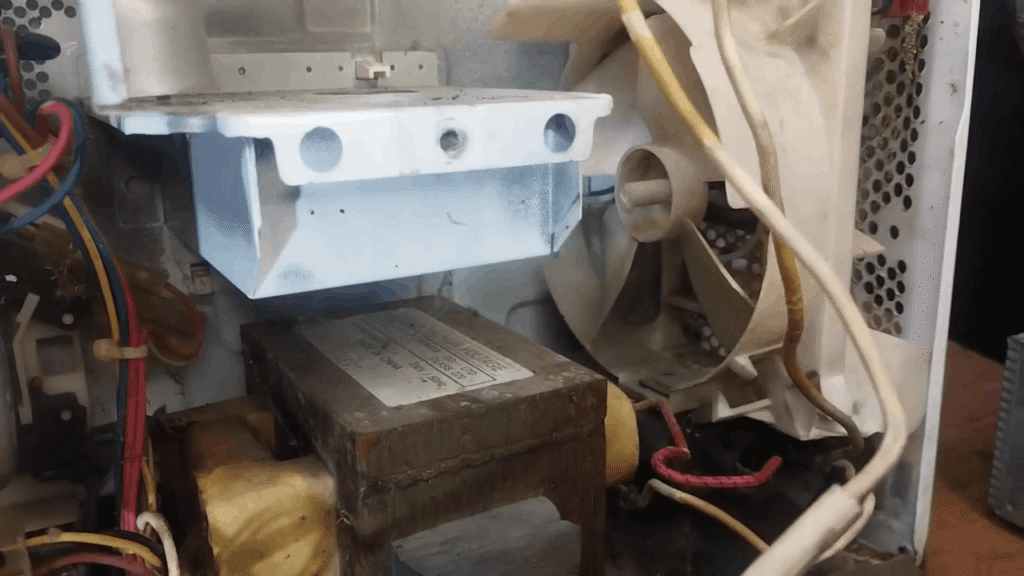
Fan Blade Jammed by Grease or Dust
Dust and sticky kitchen grease accumulate on the cooling fan shaft and bushings over time, preventing smooth rotation. This is especially common in over-the-range microwaves positioned above stovetops where cooking fumes rise directly into the fan assembly.
The buildup restricts blade movement, causing the fan to jam, slow down, or produce loud grinding noises during operation.
Cleaning Steps:
- Unplug microwave and remove outer cover
- Clean dust and grease from motor shaft and bushings
- Apply light lubricant (clock oil or WD-40)
- Spin rotor by hand to ensure smooth movement
Worn or Seized Fan Motor
When the fan motor won’t spin freely by hand, the motor itself has failed. Worn bearings cause the shaft to seize, preventing rotation even when power is supplied.
The motor may overheat, work intermittently, or stop completely, leading toautomatic shutdowns as thermal protection activates to prevent damage to the magnetron and transformer.
Testing the Motor:
- Rotate fan blade manually (should move freely)
- Test continuity with multimeter (should read near 0 ohms)
- Check for incoming power at motor terminals
- Replace motor if seized or lacking continuity
Faulty Control Board or Stuck Relay
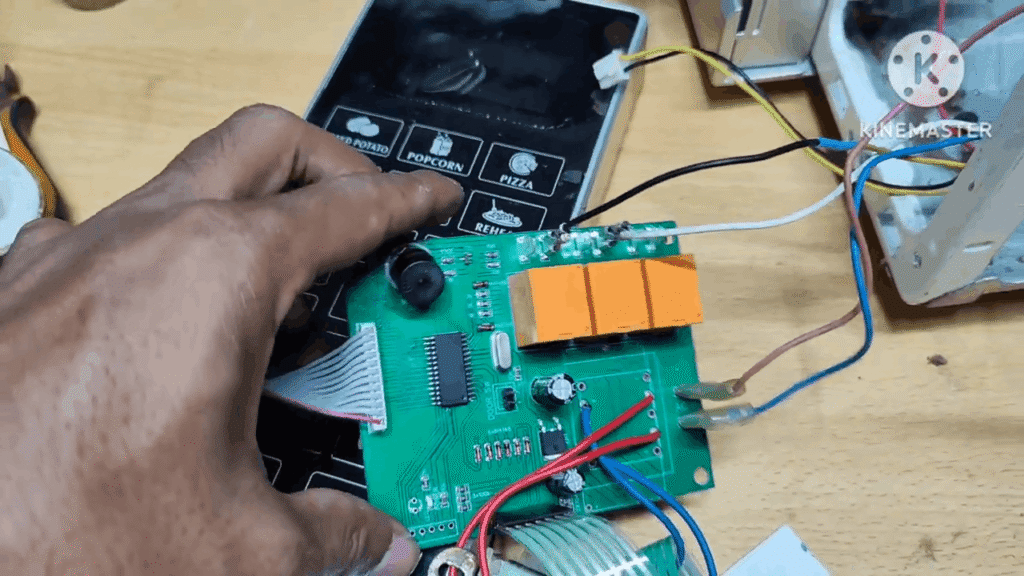
A stuck relay on the control board fails to switch power to the fan, even though the microwave heats normally. The relay’s internal contacts become stuck or corroded, preventing the electrical path from completing.
Tapping the relay 10-15 times can temporarily free the contacts, though replacement is the permanent solution. This issue accounts for approximately 33% of fan failures according to repair data.
Diagnosis Signs:
- Microwave heats but fan silent
- Fan works after tapping relay
- No voltage reaching fan motor
- Control panel functions normally otherwise
Clogged Grease or Charcoal Filters (OTR Models)
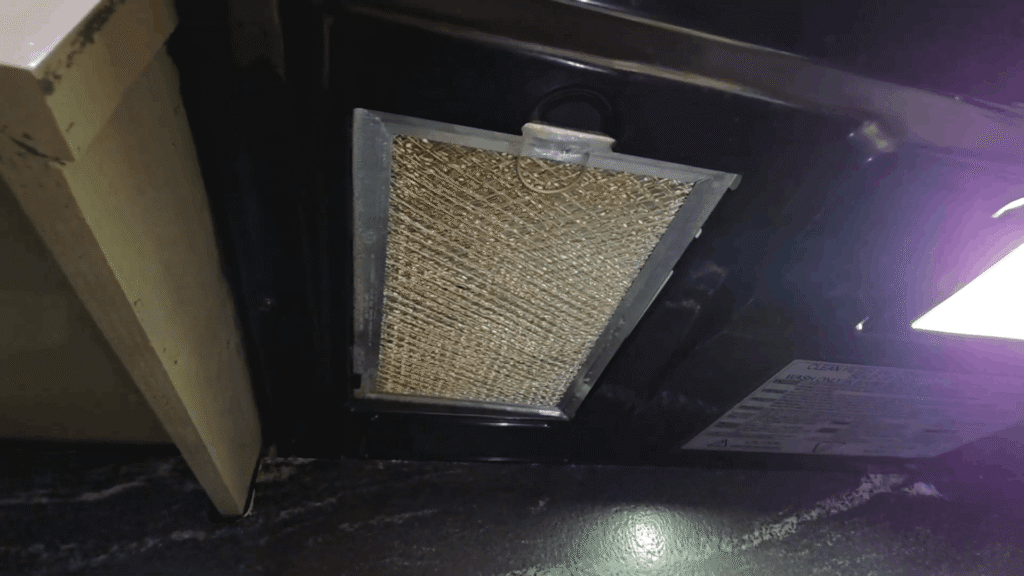
Over-the-range models rely on grease and charcoal filters to trap cooking oils and odors. Clogged grease filters restrict airflow and make the fan seem ineffective. Grease filters can be washed in hot soapy water, but heavily soiled ones should be replaced.
Charcoal filters cannot be cleaned and must be replaced annually. Poor filtration can lead to condensation problems and burning smells from overheated components.
Stuck or Broken Vent Damper
The damper assembly is a spring-loaded flapper that opens when the fan runs and closes when it stops. A warped damper, broken spring, or jammed mechanism prevents the damper from opening fully, blocking airflow despite the fan running normally.
You’ll hear the fan but feel little to no air movement from the vents. Accessing the damper requiresremoving the microwave from wall cabinets to inspect where it meets the house vent.
Loose Wiring or Connector Issues
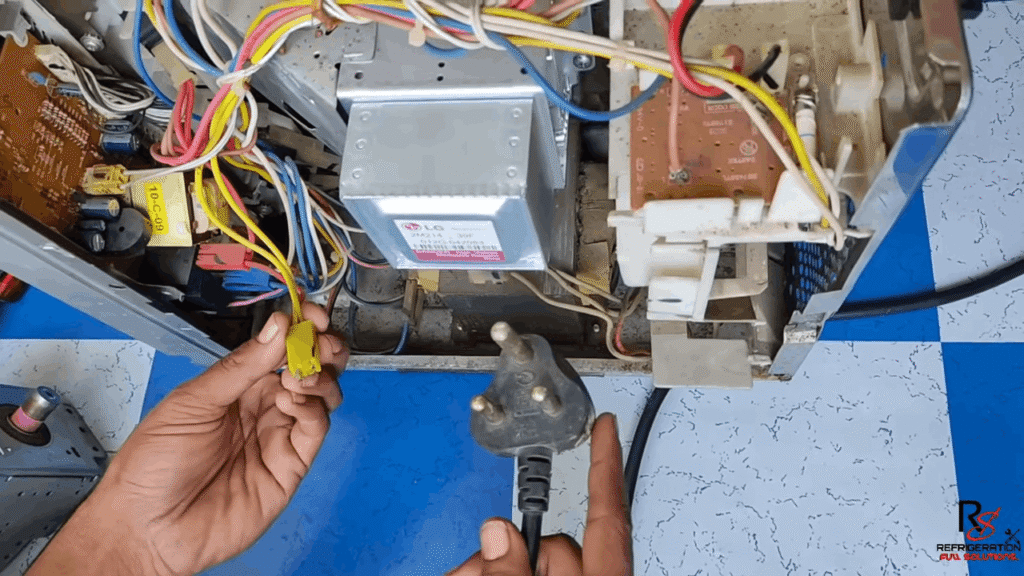
Vibration during operation can loosen wire connectors between the fan motor and control board, causing intermittent fan operation. The fan may work sporadically, start then stop, or fail completely depending on microwave movement.
Loose connections can also cause safety issues similar to door switch problems. Inspect all wire terminals for tightness and signs of arcing or heat damage, especially if the microwave is older or has been moved recently.
Step-by-Step User-Safe Troubleshooting
Power Cycle and Cooldown Test
Unplug the microwave for 10 minutes to reset the control board and allow residual charge in capacitors to dissipate safely. If the display shows “Enter clock” with flashing digits after plugging back in, this indicates the reset was successful and you can test whether the fan now operates normally during a heating cycle.
Check Airflow at Vents
Place your hand near the exhaust vents while running the microwave on high power for 2 minutes with 1 cup of water inside. Strong, consistent airflow indicates the fan motor is working, while weak or no airflow despite hearing fan noise suggests clogged filters or a blocked damper assembly restricting ventilation.
Clean Grease Filters
Remove the metal grease filters from the bottom of over-the-range models by releasing the spring clips or tabs, then soak them in hot water with mild detergent. Heavily soiled filters that remain slimy after washing should be replaced rather than reused, as they can restrict airflow and make the fan seem ineffective even when functioning properly.
Suggested Guide: How to Properly Clean Your Microwave Oven at Home?
Observe Fan Behavior During Longer Cook Cycles
Run the microwave continuously for 5-10 minutes to see if the cooling fan automatically starts, stops intermittently, or never activates. The cooling fan should run during operation and may continue for several minutes after cooking stops to complete the cooldown cycle and protect internal components from heat damage.
What NOT to Do When the Microwave Fan Isn’t Working?
Do Not Keep Using the Microwave
Continuing to operate a microwave without a functioning cooling fan causes the magnetron and transformer to overheat, making the outer body dangerously hot and risking permanent burnout of expensive internal components.
The microwave oven requires free airflow for maximum cooling efficiency, and running it for even 10-15 minutes without the fan can cause irreversible damage that will require costly repairs or complete replacement.
Do Not Bypass the Fan
Never attempt to disconnect or bypass the fan to continue using the microwave, as this removes critical thermal protection and can lead to component failure, electrical fires, or circuit breaker tripping.
Some users mistakenly believe they can temporarily disable the fan to keep cooking, but this creates serious fire hazards and potential electrical faults. Manufacturers specifically design fan systems as essential safety features that cannot be safely bypassed.
Do Not Open the Internal Casing
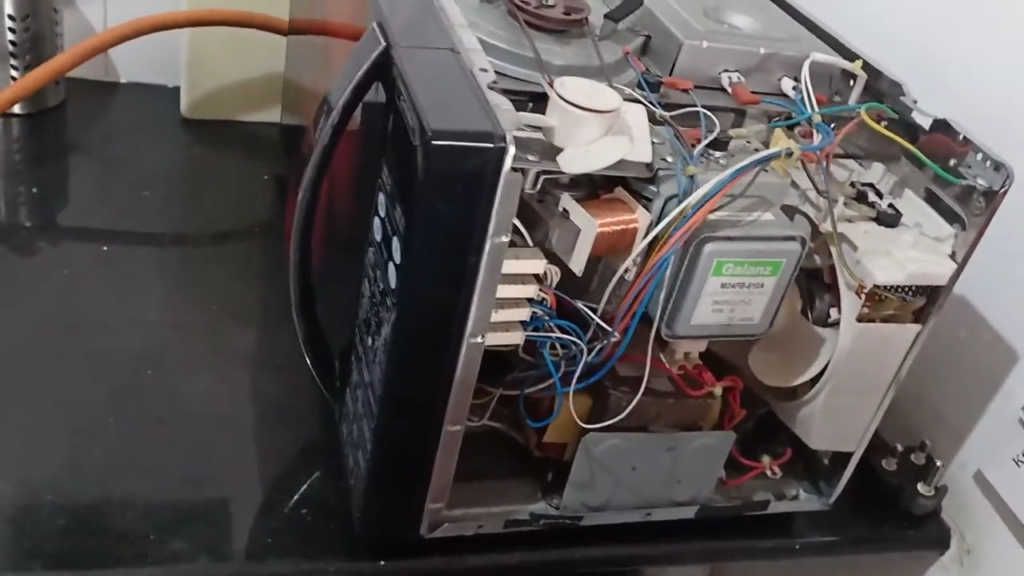
High voltages are present inside the cabinet, and the high-voltage capacitor can retain a lethal charge for months even when the microwave is unplugged. Only qualified service personnel should perform repairs and adjustments involving the removal of covers, as touching internal components can cause serious personal injury or death.
If grounding is improper, the risk of electric shock increases significantly during any DIY attempt to access internal parts.
Do Not Ignore Heat or Burning Smells
A burning smell signals overheating components, worn fan bearings creating friction, or a failing magnetron caused by inadequate cooling. Continuing to use a microwave that smells burnt can lead to poor heating and food safety issues, potential electrical faults and fire hazards, or ongoing buildup affecting food quality.
Unplug the microwave immediately if you notice burning odors or excessive heat, and do not use it again until a professional diagnoses the cause.
Maintenance Tips to Avoid Fan Failure
Regular Grease Filter Cleaning
Clean grease filters monthly by soaking them in hot water with mild detergent, as clogged filters restrict airflow and force the fan motor to work harder, potentially leading to premature wear and overheating.
Very dirty or damaged filters should be replaced rather than repeatedly cleaned, since excessive buildup can prevent proper ventilation even when the fan runs normally.
Avoid Running Microwave Empty
Never operate the microwave without food inside, as this practice damages the magnetron tubes and other components, causing them to overheat and requiring the cooling fan to work continuously at maximum capacity.
Running empty also increases the risk of arcing and component failure that can damage both the magnetron and the fan system designed to cool it.
Keep Ventilation Paths Clear
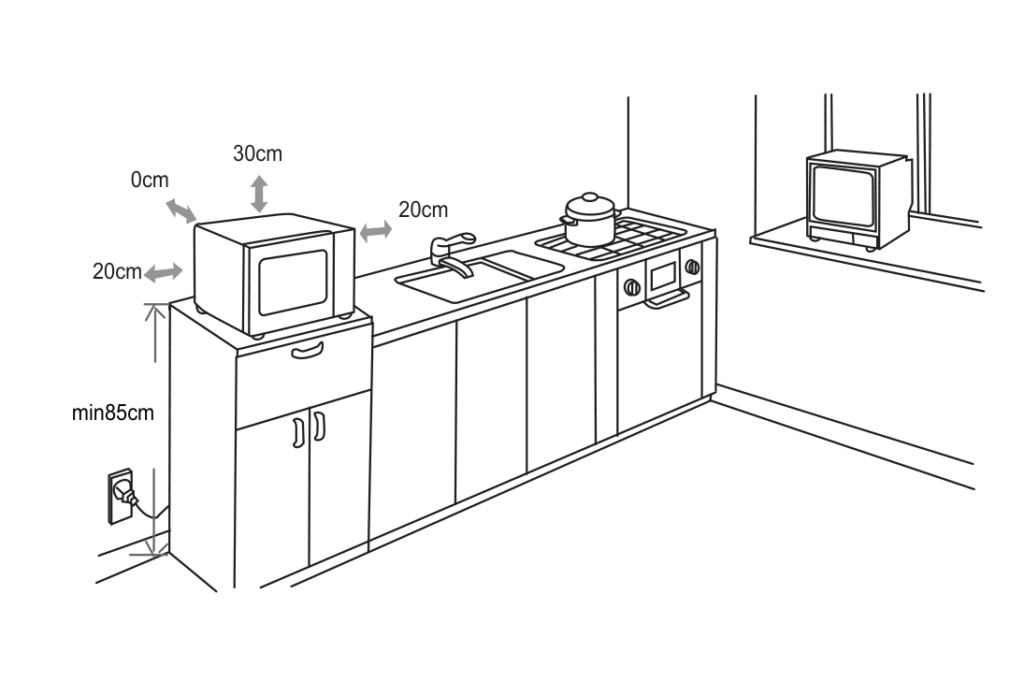
Ensure water does not seep into ventilation openings when cleaning, and keep air vents clear while cooking to maintain free airflow for maximum cooling efficiency.
All internal parts and the back area should be cleaned regularly so no dust or sticky grease remains around the fan, preventing restricted airflow that can cause the motor to overheat and fail prematurely.
Allow Fan Cooldown Cycles to Complete
The cooling fan may automatically continue running for several minutes after cooking stops to properly cool the magnetron and transformer, so avoid unplugging the microwave immediately after use.
After cooking, wipe down the interior and leave the door slightly open to help ventilate and evaporate moisture, which prevents condensation buildup that can contribute to rust and electrical malfunctions affecting fan operation over time.
Final Thoughts
A non-working fan threatens your microwave’s magnetron and transformer with costly heat damage that can exceed half the price of a new unit. Stick to safe user checks like filter cleaning and airflow testing, but call a qualified technician for internal repairs.
Early diagnosis saves money and prevents the dangerous component failures that come from continued operation without proper cooling.